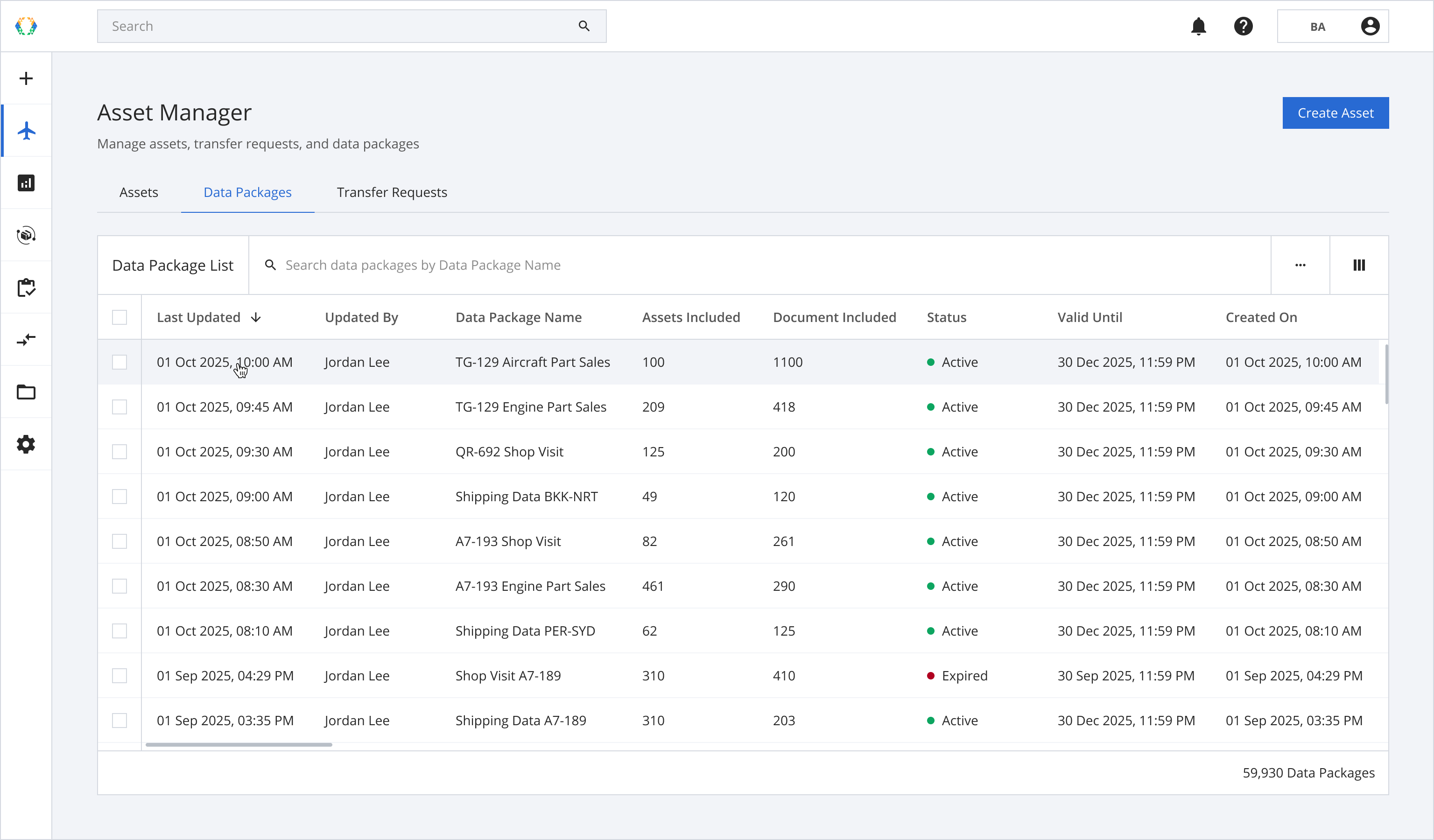
Step 1: From the data package list, open a data package you want to update.
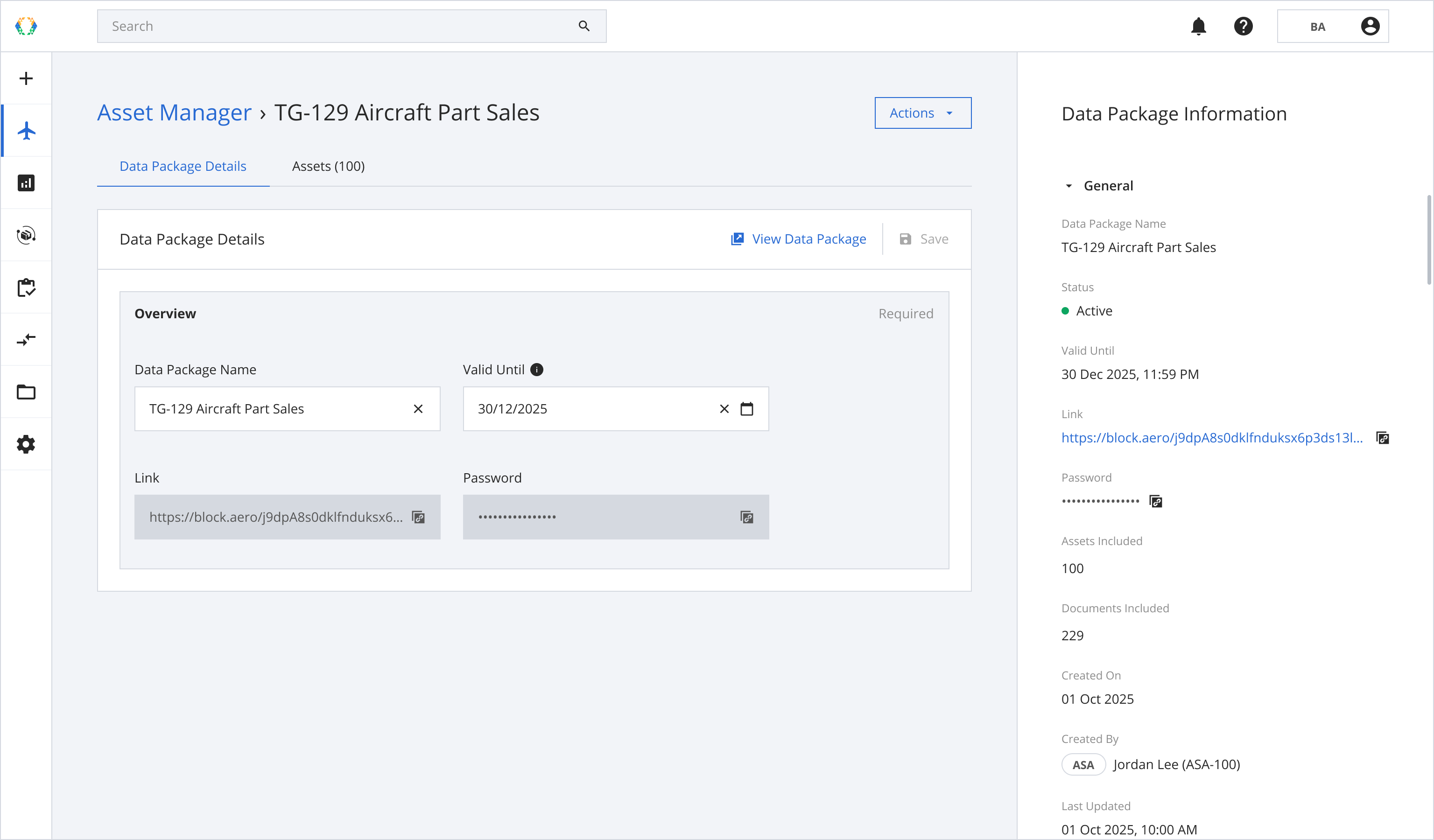
Step 2: Update data package details.
📘
- Data Package Name
- Valid Until
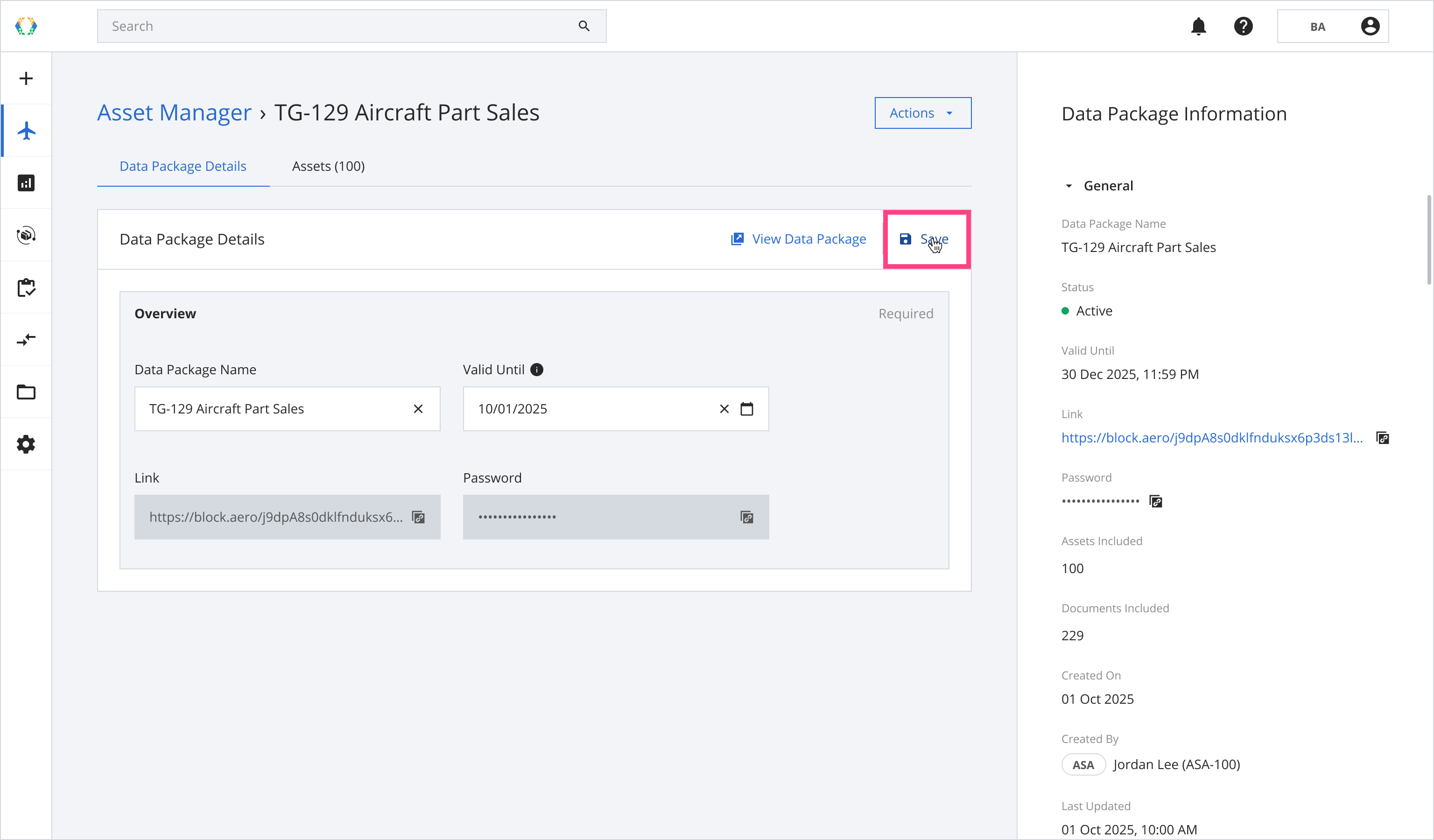
Step 3: Click 'Save'.
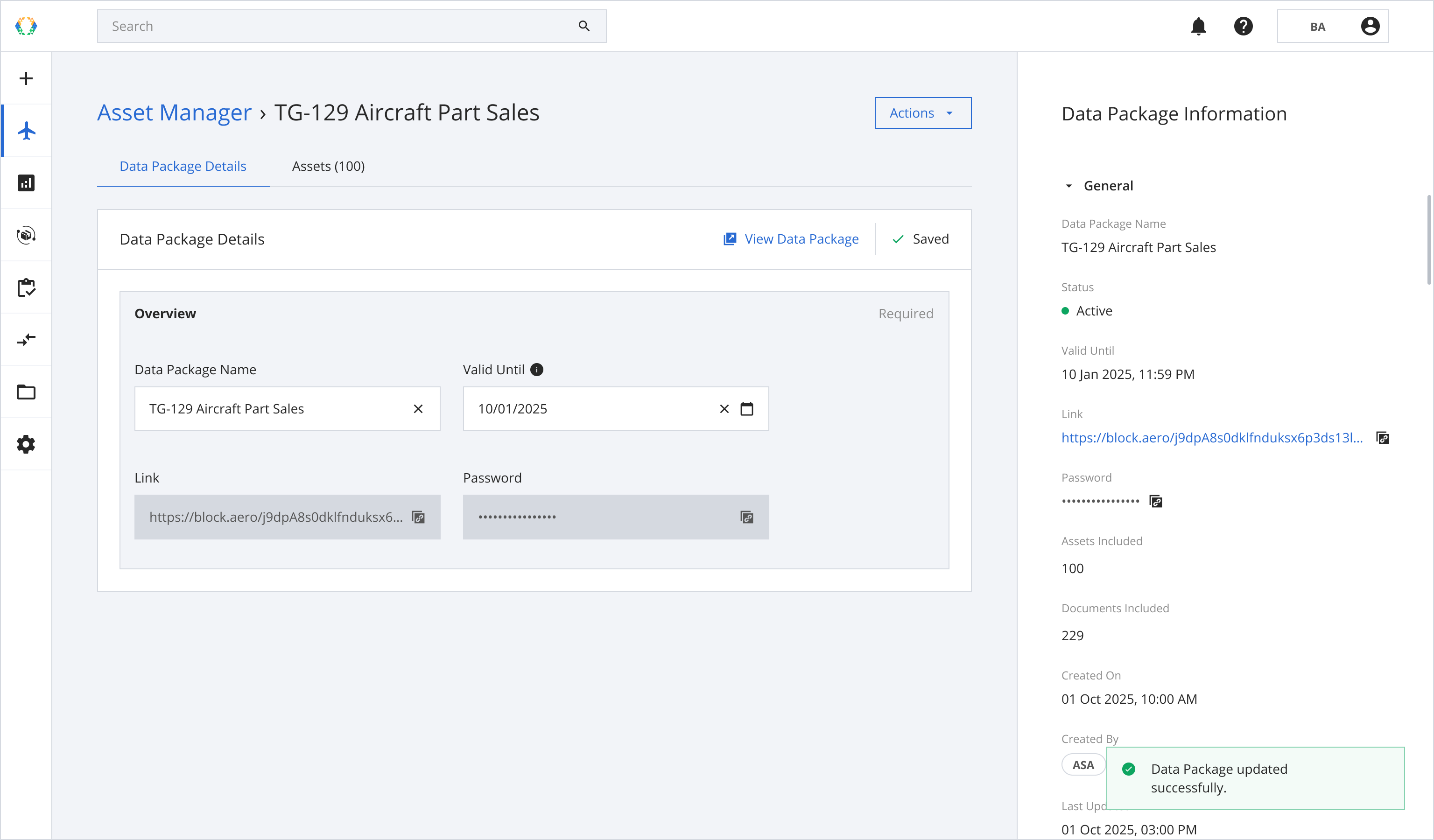
Once the data package is successfully updated, a success message will appear at the bottom of the screen.