

Bulk Operation
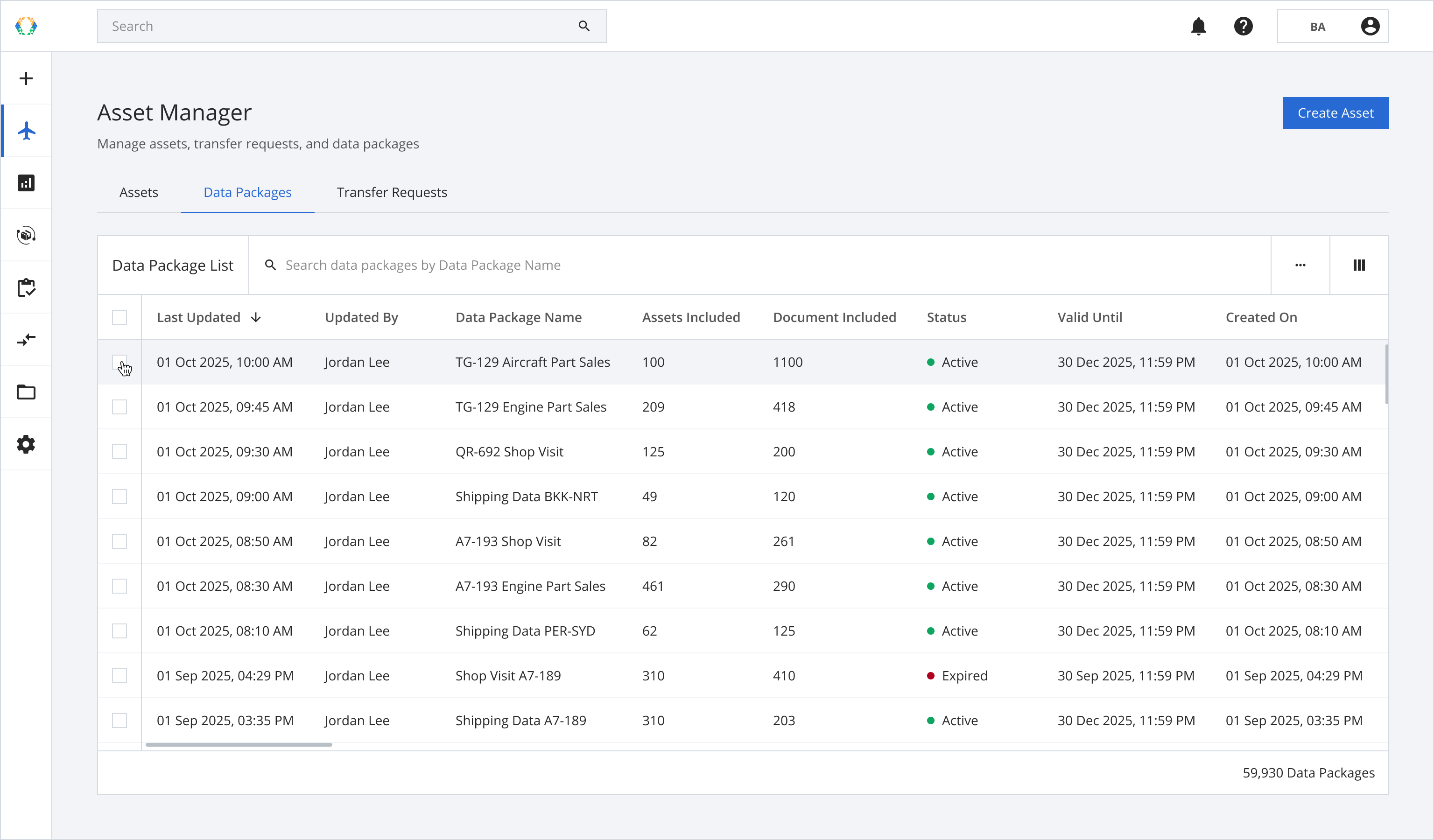
Step 1: From the data package list, select data packages you want to reset password.
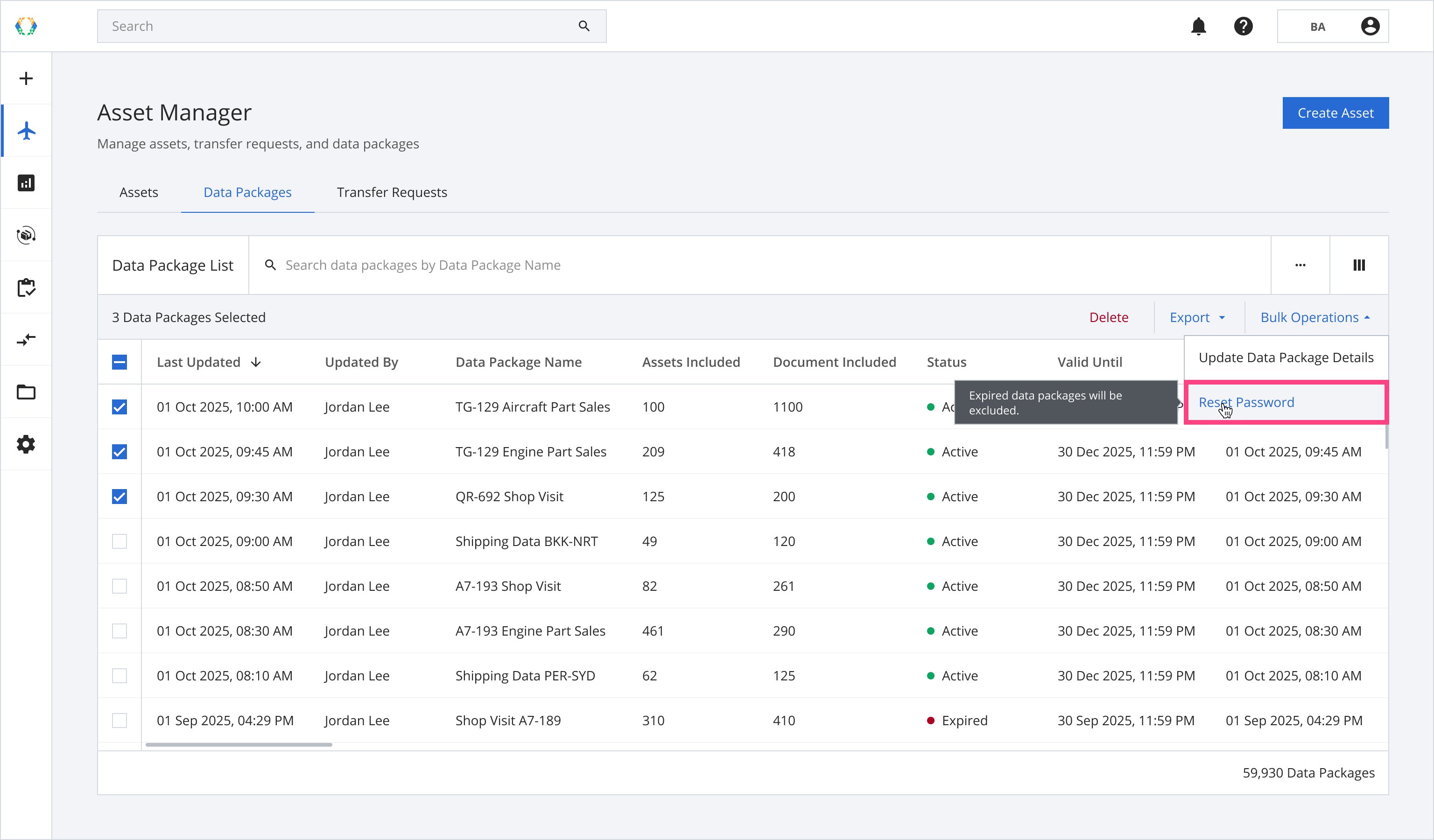
Step 2: Click ‘Bulk Operations’ and then select 'Reset Password'.
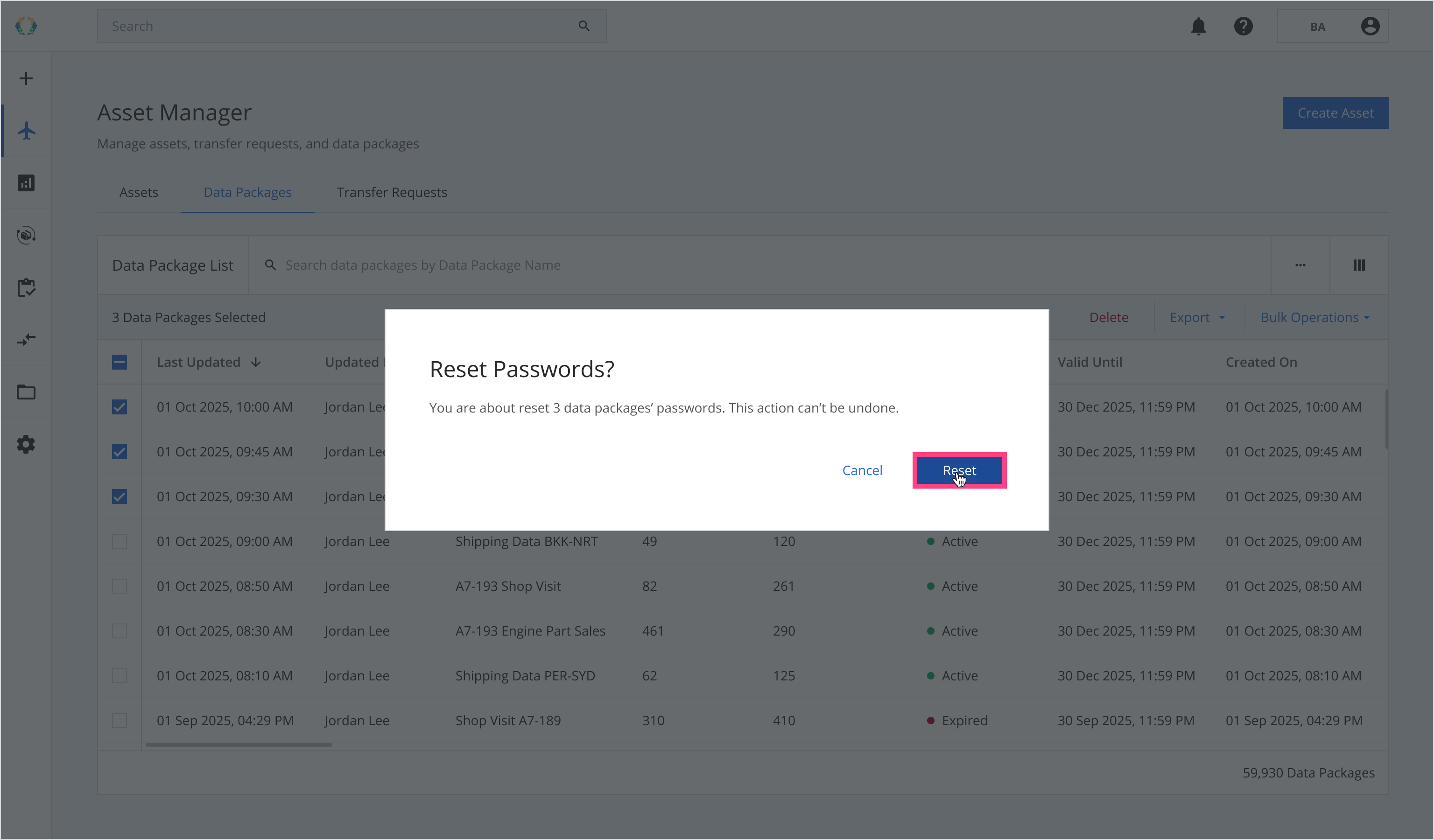
Step 3: A confirmation message will appear. Click ‘Reset’.
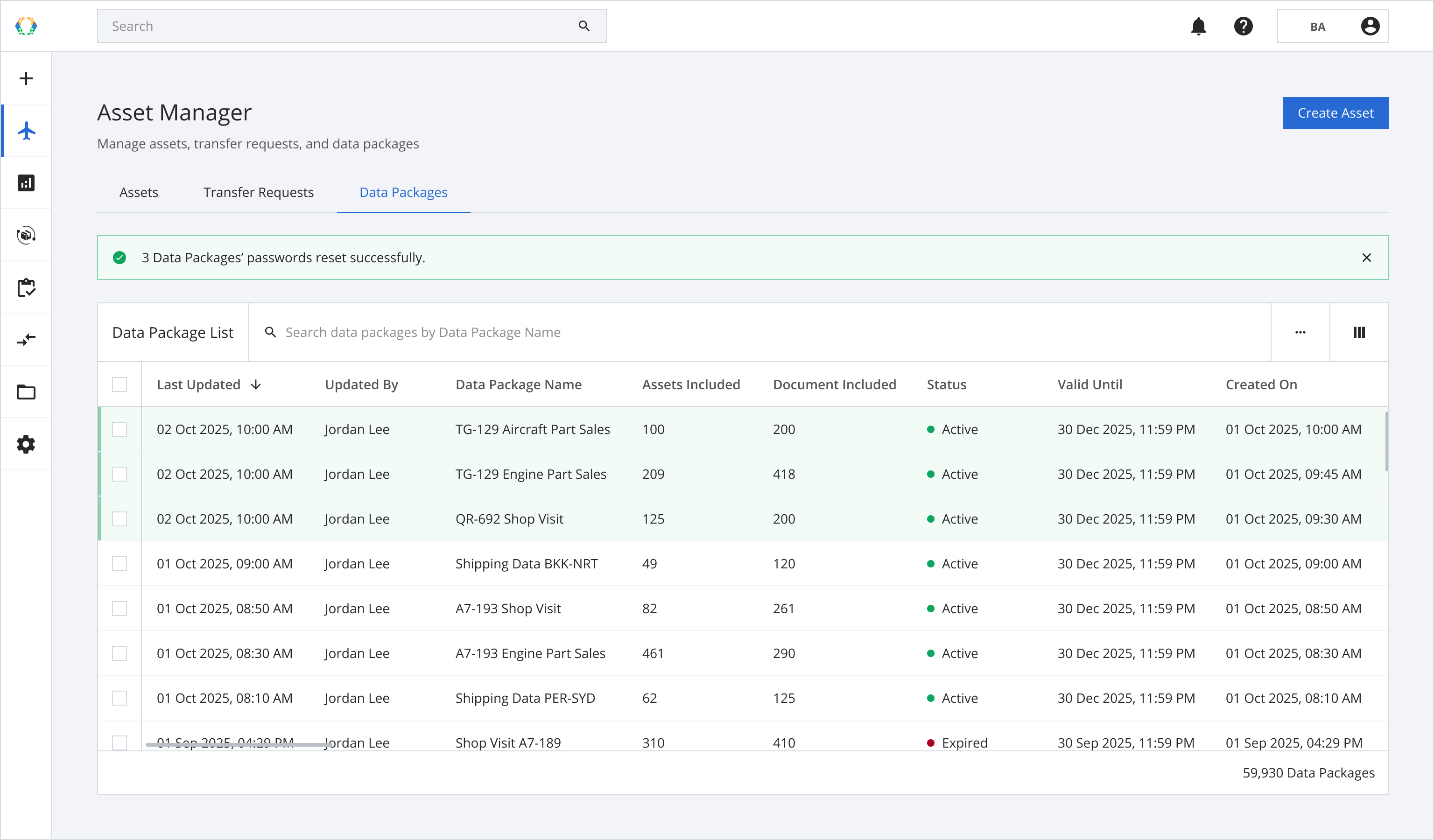
Once the data packages' password is successfully reset, a green banner will appear at the top of data package list.
Updated 8 months ago
Did this page help you?