

Bulk Operation
Step 1: From a private registry items list, select flagged registry items you want to request a review for.
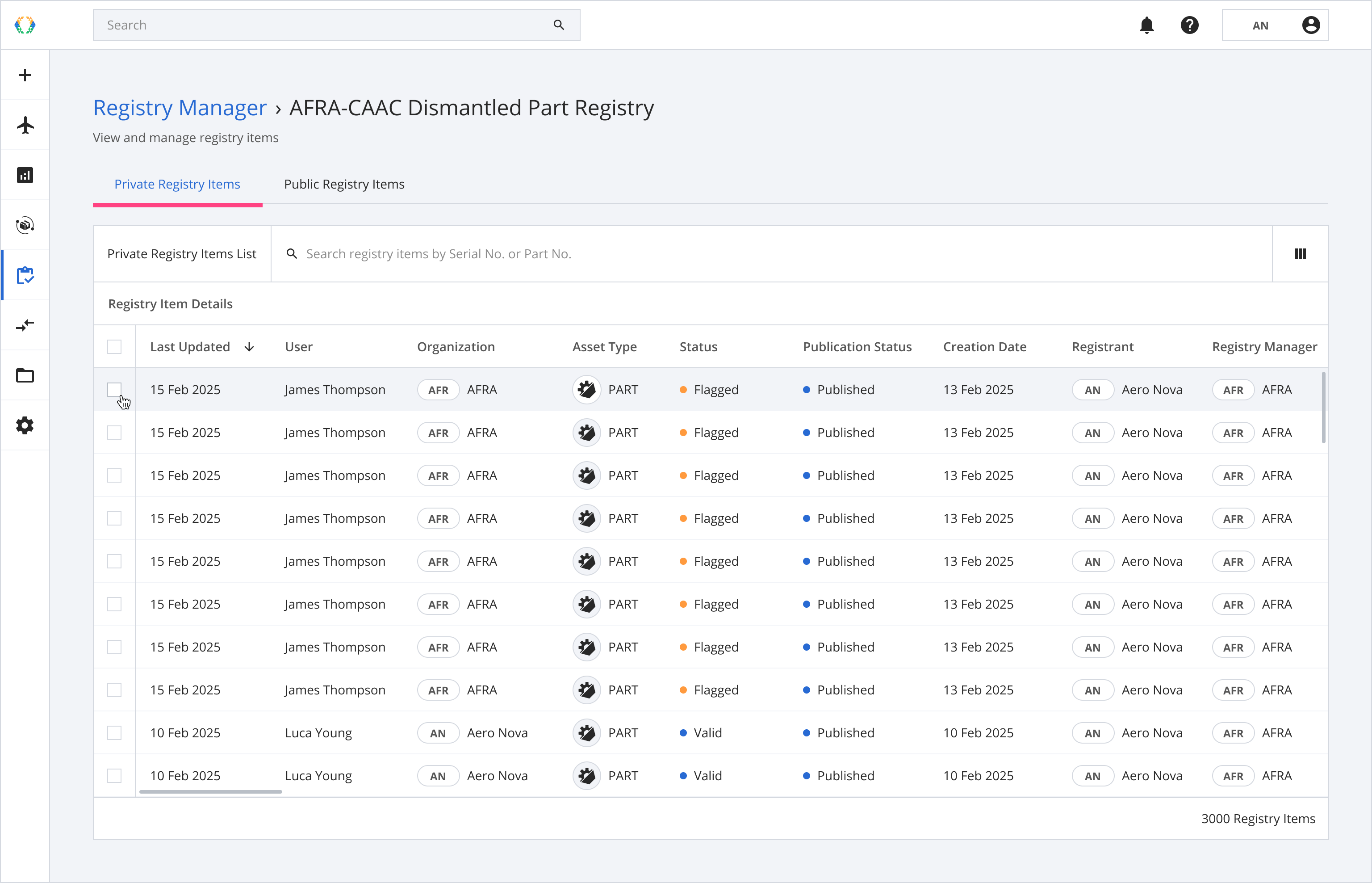
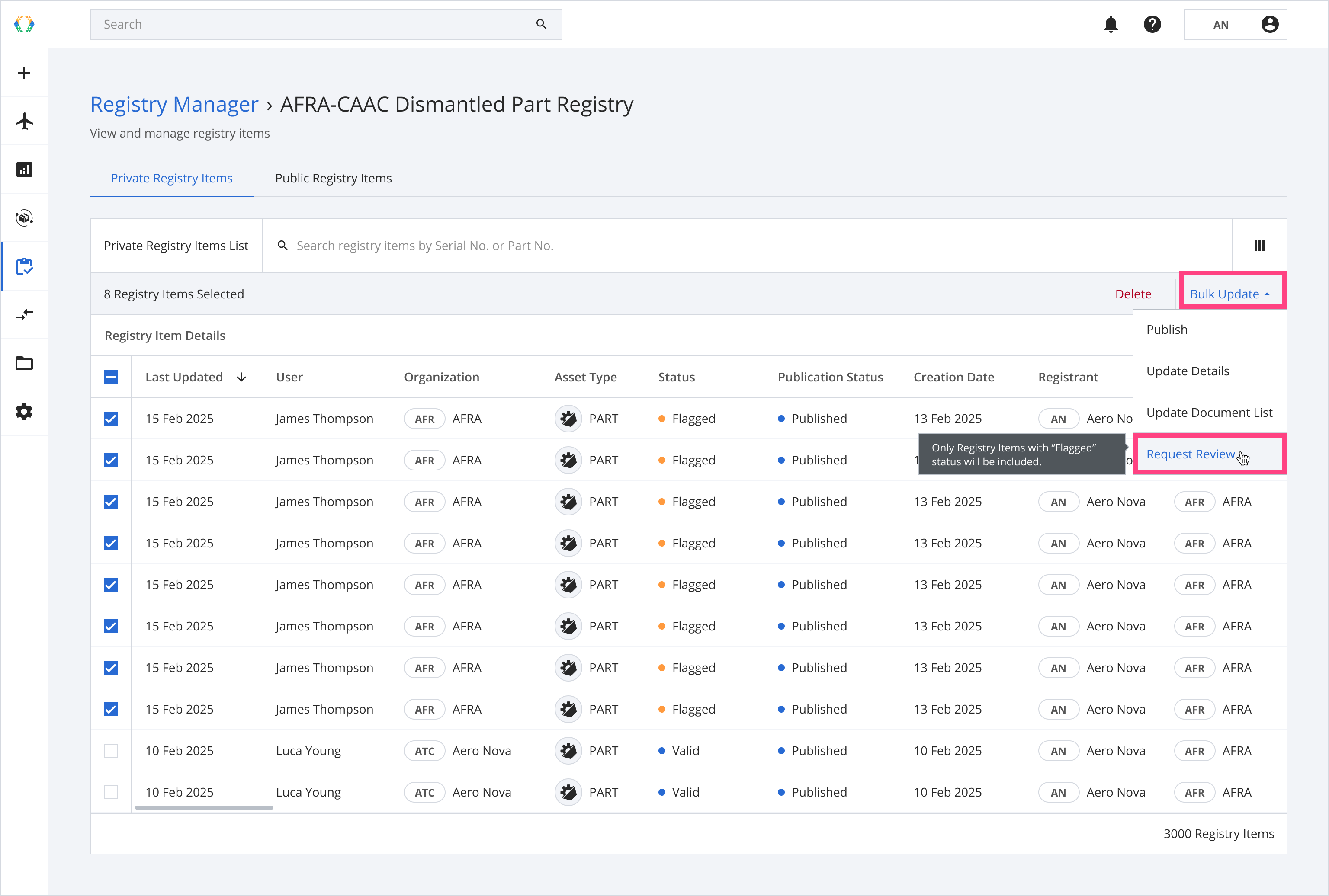
Step 2: Once selected, click 'Bulk Update' and select 'Request Review' from the dropdown menu.
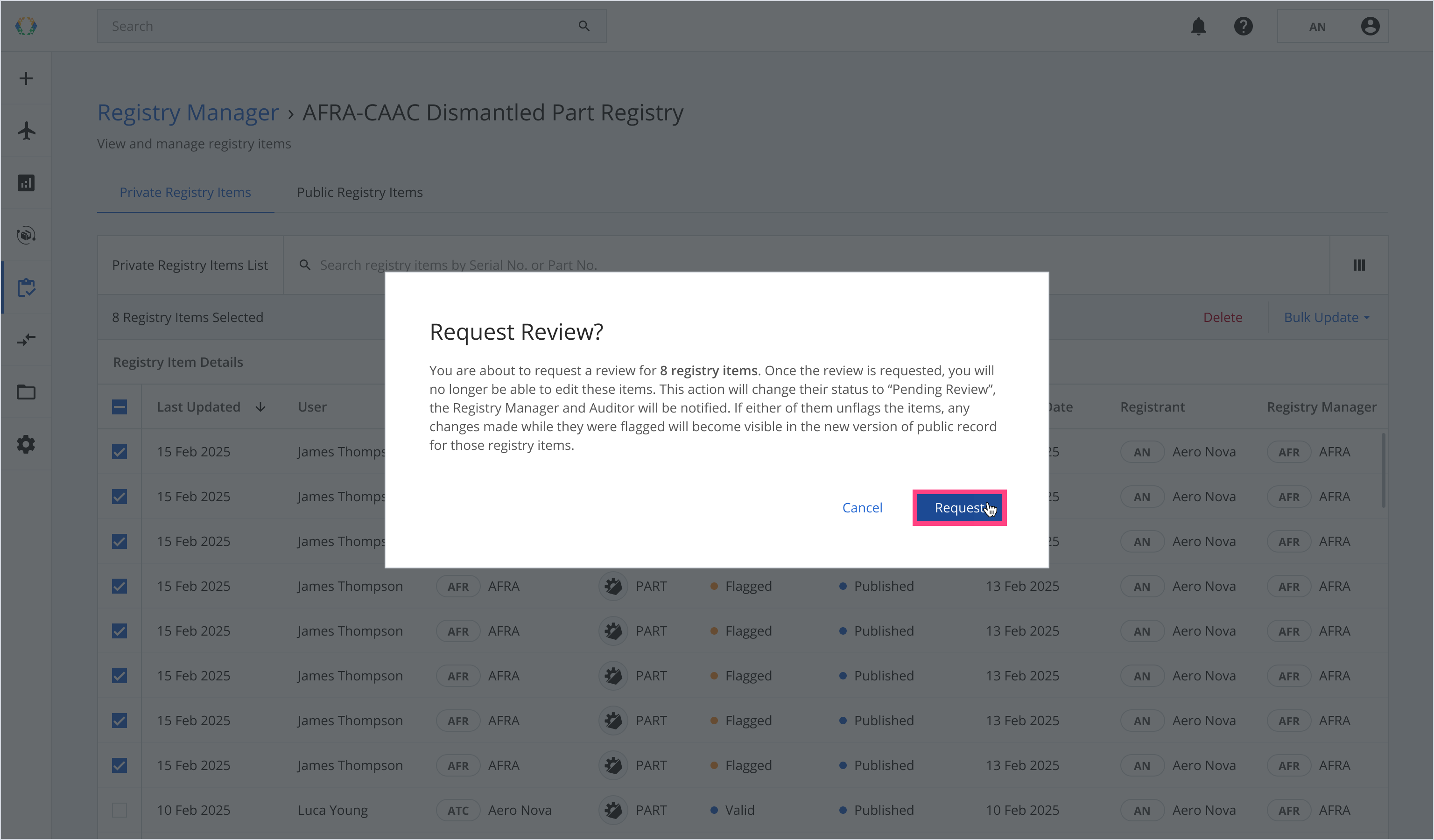
Step 3: Once the 'Request Review?' dialog appears, review the confirmation message and click 'Request'.
Outcome:
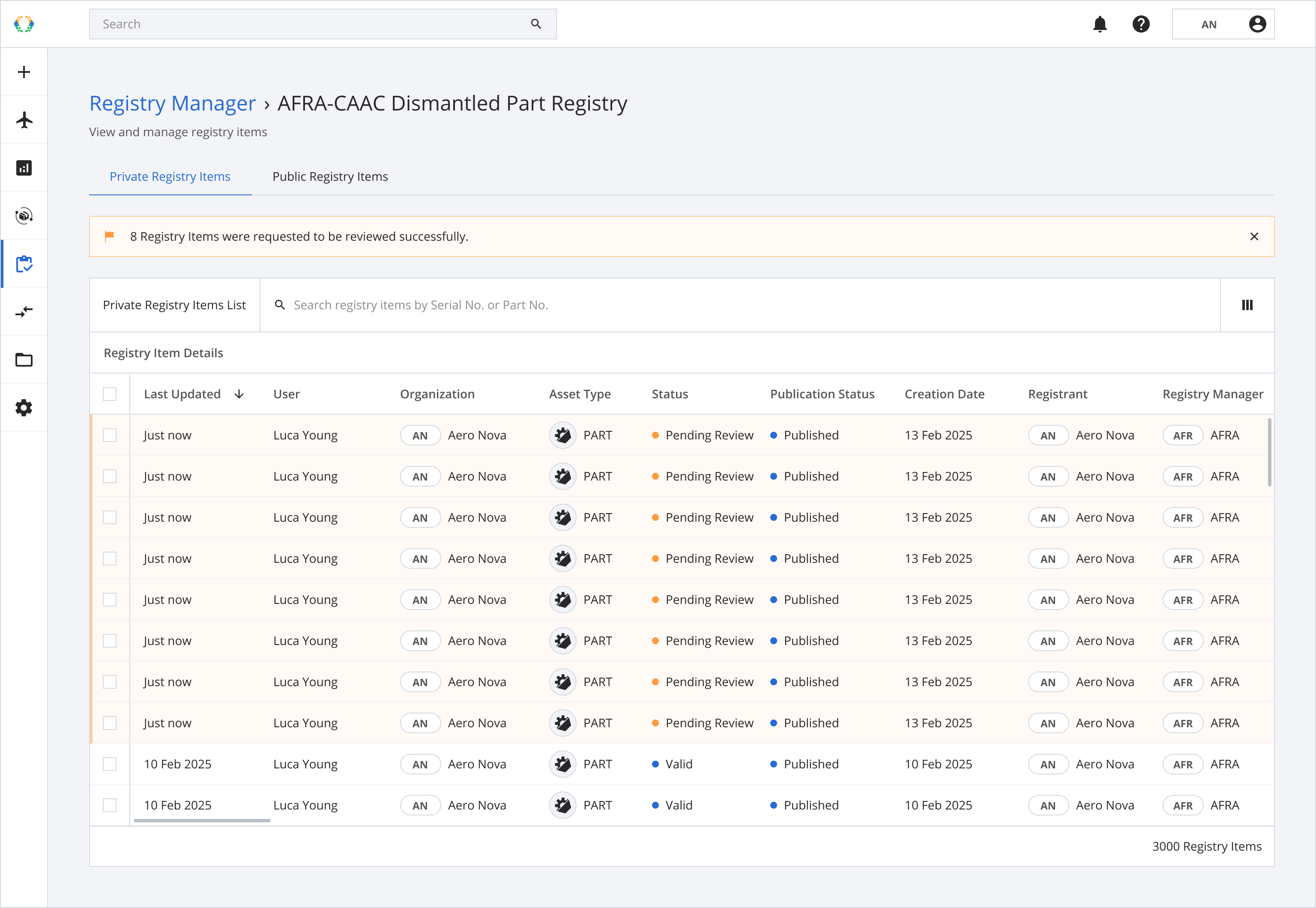
- A banner will appear at the top of the registry items' list, confirming that the action was successfully applied to multiple items
- The registry items' status will change from 'Flagged' to 'Pending Review'.
- The registrants will no longer be able to edit the registry items.
- The Registry Manager and Auditor will be notified of the review request.
- If the Registry Manager or Auditor unflags the items, their status will return to 'Valid'. Any changes made while flagged will become visible in the public records.
Updated 9 months ago
Did this page help you?