

API Keys
An API Key is a credential generated within your organization to enable secure access to integrations and services. It contains details such as name, status, creator, creation date, validity period, and last used date.
Getting Started
To access your organization's API keys, click 'API Keys'.
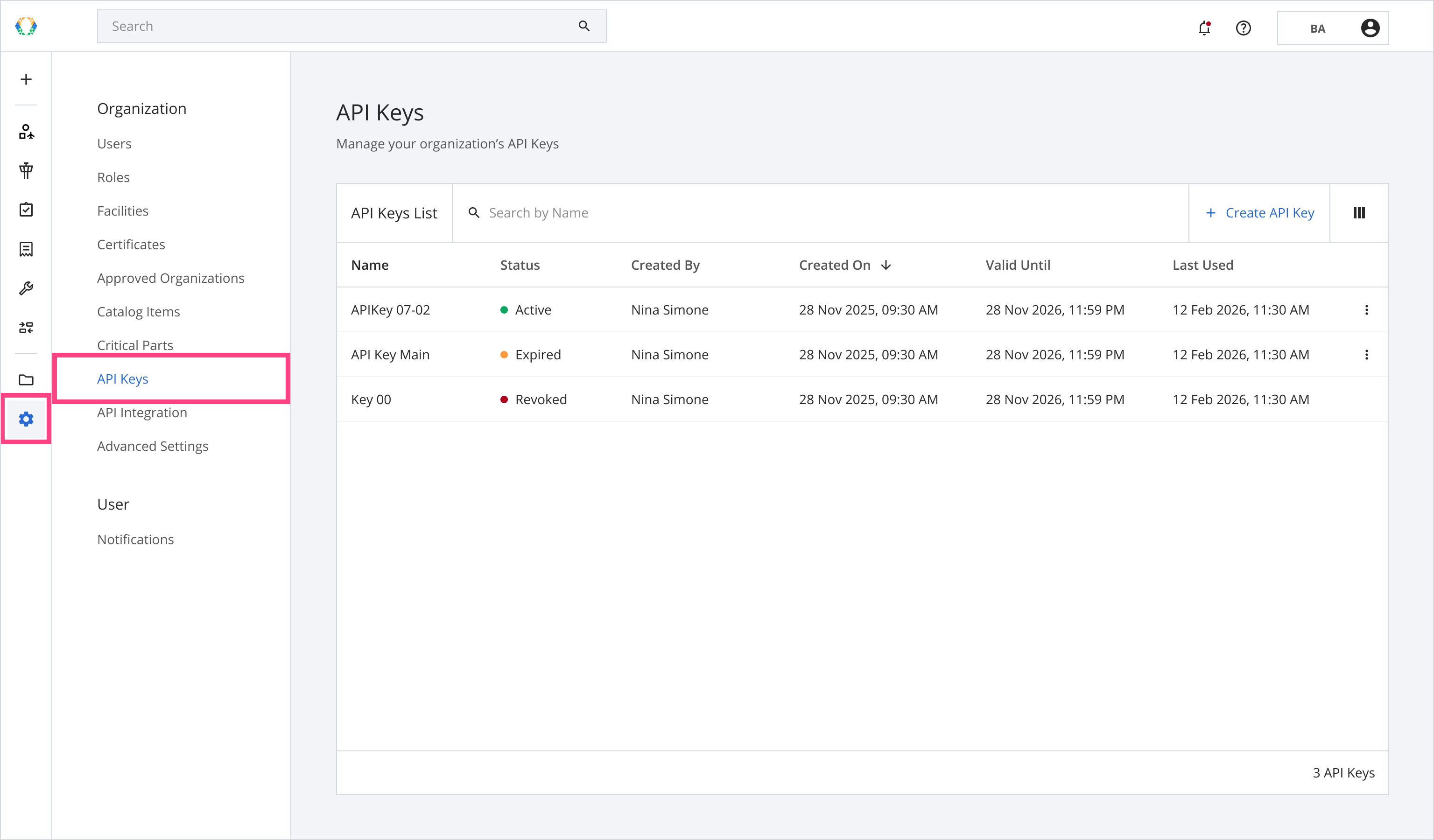
API Keys Layout
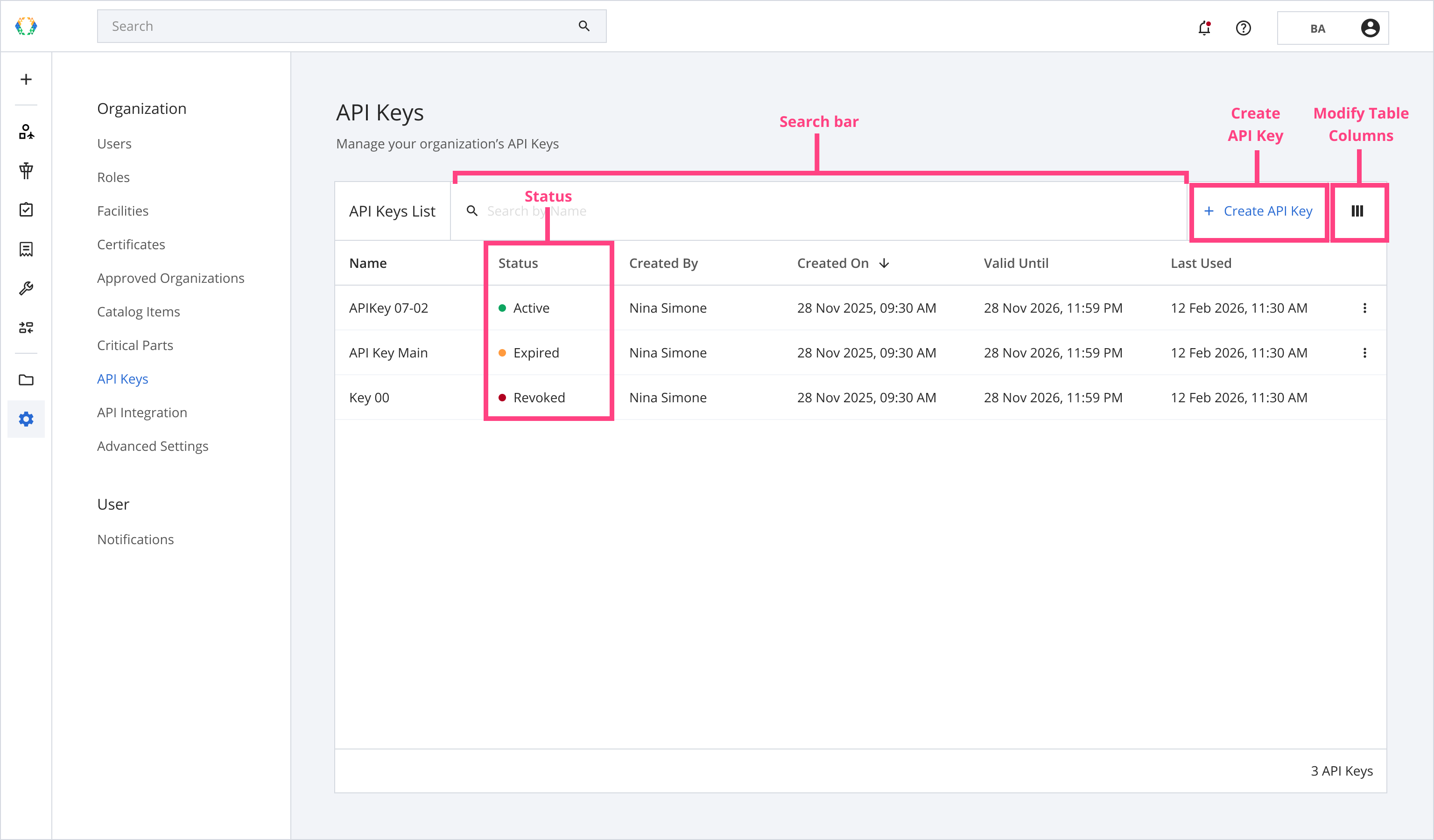
Searching on the API Keys List
The search bar on the API keys list allows you to search for API keys within your organization. You can use the following parameters to search for your API keys:
| Searchable Parameters |
|---|
| Name |
Status
There are 3 statuses available:
- Active
- Expired
- Revoked
Status
-
Active: The API Key is valid and is used to authenticate and authorize requests.
-
Expired: The API Key has passed its Valid Until date and can no longer be used. Rotate the key to restore access.
-
Revoked: The API Key has been manually deactivated and can no longer be used. Create a new key to restore access.
Permissions List
| Asset BTB Events |
|---|
| Search BTB Events (Read) |
| Create BTB Events (Write) |
| Update BTB Events (Write) |
| Delete BTB Events (Write) |
| Asset Transfers |
| Search Transfer Requests (Read) |
| Create Transfer Requests (Write) |
| Approve Transfer Requests (Write) |
| Reject Transfer Requests (Write) |
| Withdraw Transfer Requests (Write) |
| Execute Transfer Requests (Write) |
| Assets |
| Search Assets (Read) |
| Create Assets (Write) |
| Get Children of Asset (Read) |
| Add Installation or Removal (Write) |
| Update Assets (Write) |
| Get Asset Events (Read) |
| Certificates |
| Search Certificates (Read) |
| Create Certificate (Write) |
| Update Certificate (Write) |
| Delete Certificate (Write) |
| Documents |
| Upload Document to Asset (Write) |
| Search Documents (Read) |
| Download Document (Write) |
| Facilities |
| Create Facility (Write) |
| Search Facilities (Read) |
| Update Facility (Write) |
| Delete Facility (Write) |
| Integration |
| Part Ownership Verification (Read) |
| Organizations |
| Search Organizations (Read) |
| Get My Organizations (Read) |
| Registries |
| Search Registries (Read) |
| Registry Items (Private) |
| Search Registry Items (Private)(Read) |
| Create Registry Items (Write) |
| Update Registry Items (Write) |
| Update Registry Items Status (Write) |
| Delete Registry Items (Write) |
| Registry Items (Public) |
| Search AFRA-CAAC Dismantled Part Registry Items (Public) |
| Roles |
| Search Roles (Read) |
| Create Role (Write) |
| Update Role (Write) |
| Delete Role (Write) |
| Users |
| Create User (Write) |
| Delete User (Write) |
| Search Users (Read) |
| Update User (Write) |
ILS IntegrationThe Part Ownership Verification permission enables the Block Aero × ILS integration. This integration brings Block Aero's verified data directly into the world's leading aviation parts marketplace, where buyers and sellers connect every day. ILS checks Block Aero to verify which part numbers are owned by your organization and displays a verification badge on confirmed listings. Giving buyers confidence that what they are sourcing is accurate and verified, and giving sellers a way to build trust and stand out in a competitive marketplace.
For full details on available endpoints, request formats, and response examples, see the API Reference.
Updated 5 months ago