

Share Data Package
After a Data Package is created, it can be shared using the Data Package link, which is available on the Data Package Details page.
There are 2 ways to share data package:
Option 1: Copy Link and Password
Option 2: Copy Only Link or Password
Copy Link and Password
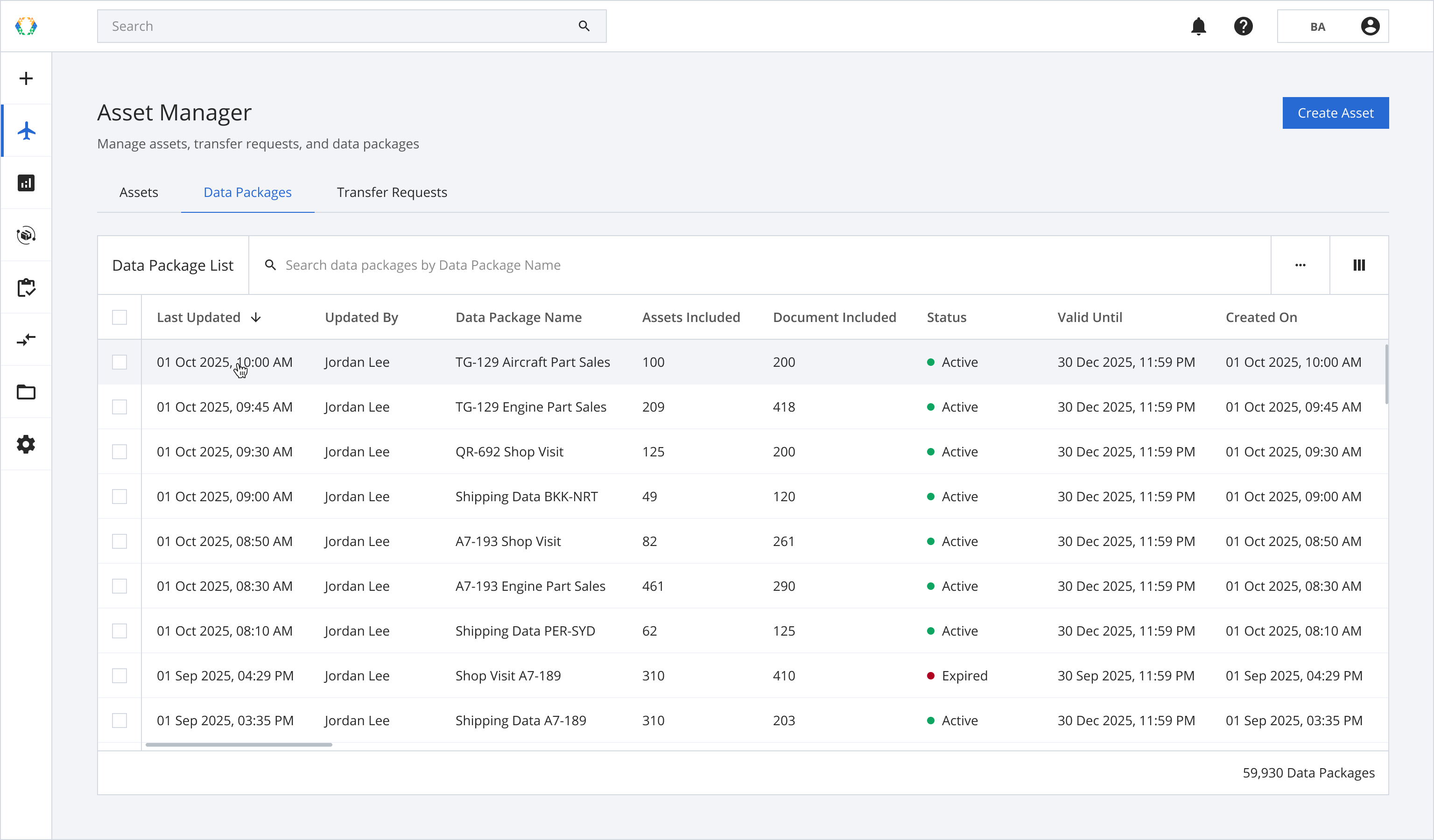
Step 1: From the data package list, open a data package you want to share.
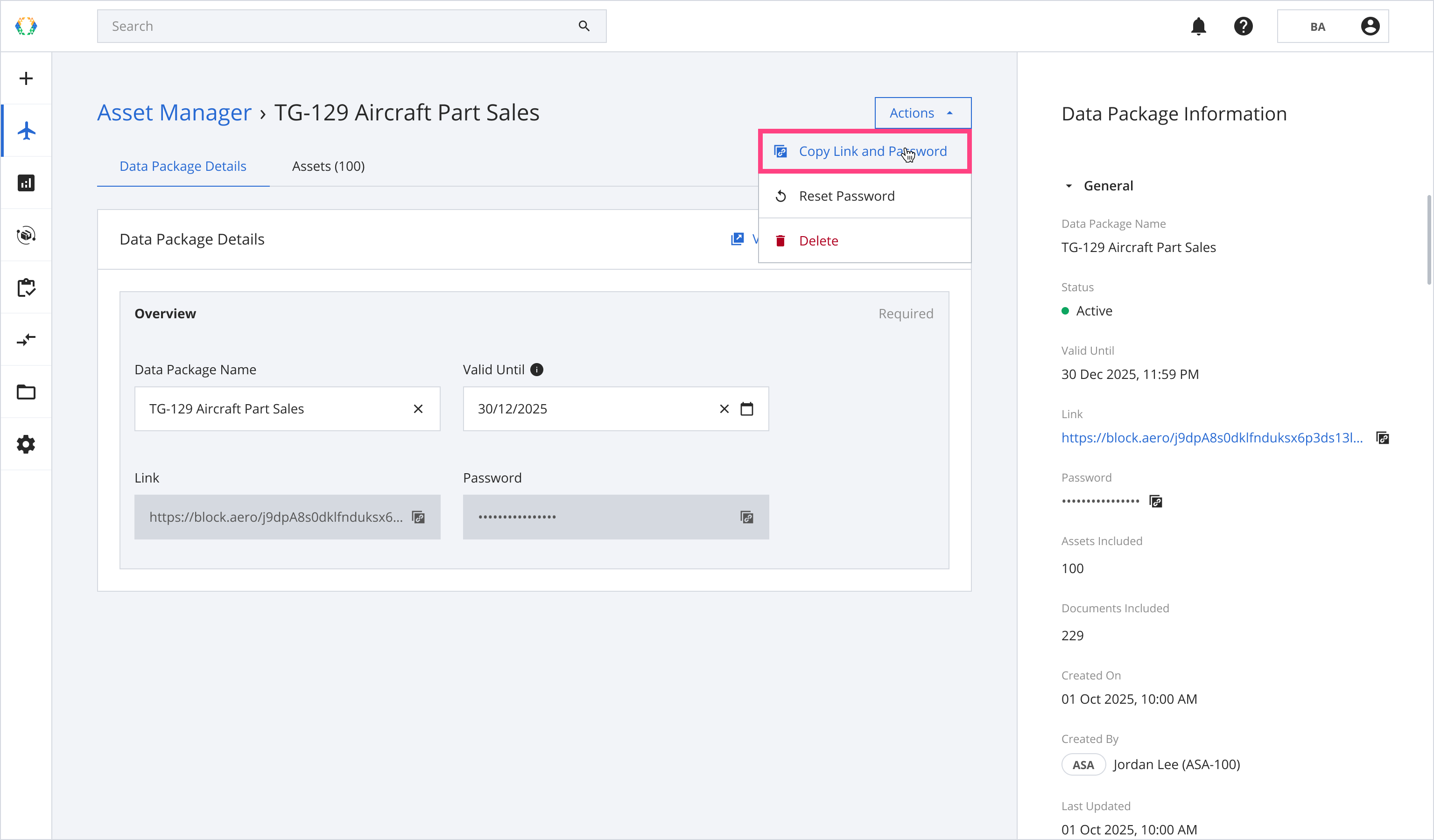
Step 2: Click ‘Actions’ and then select 'Copy Link and Password'.
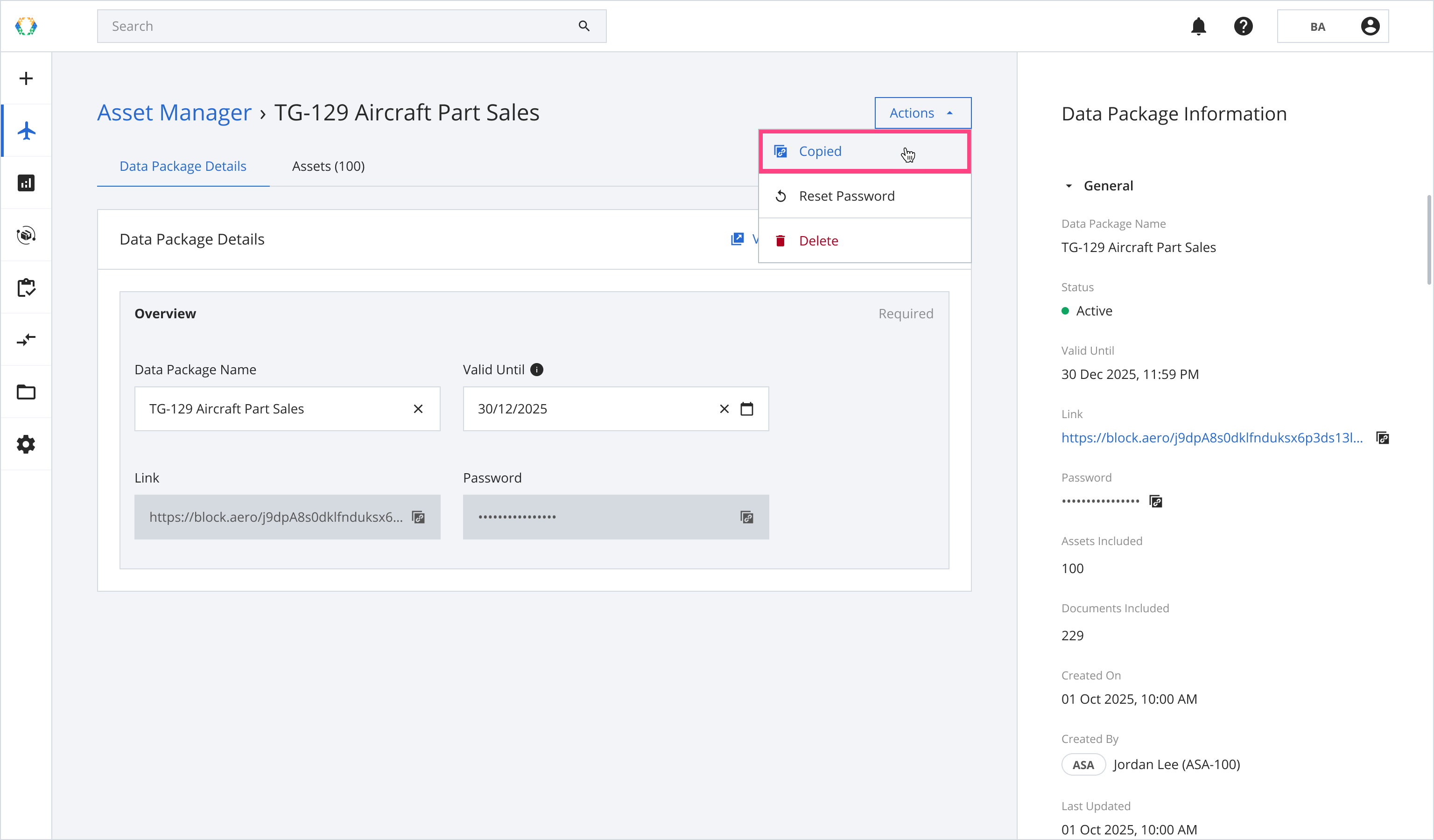
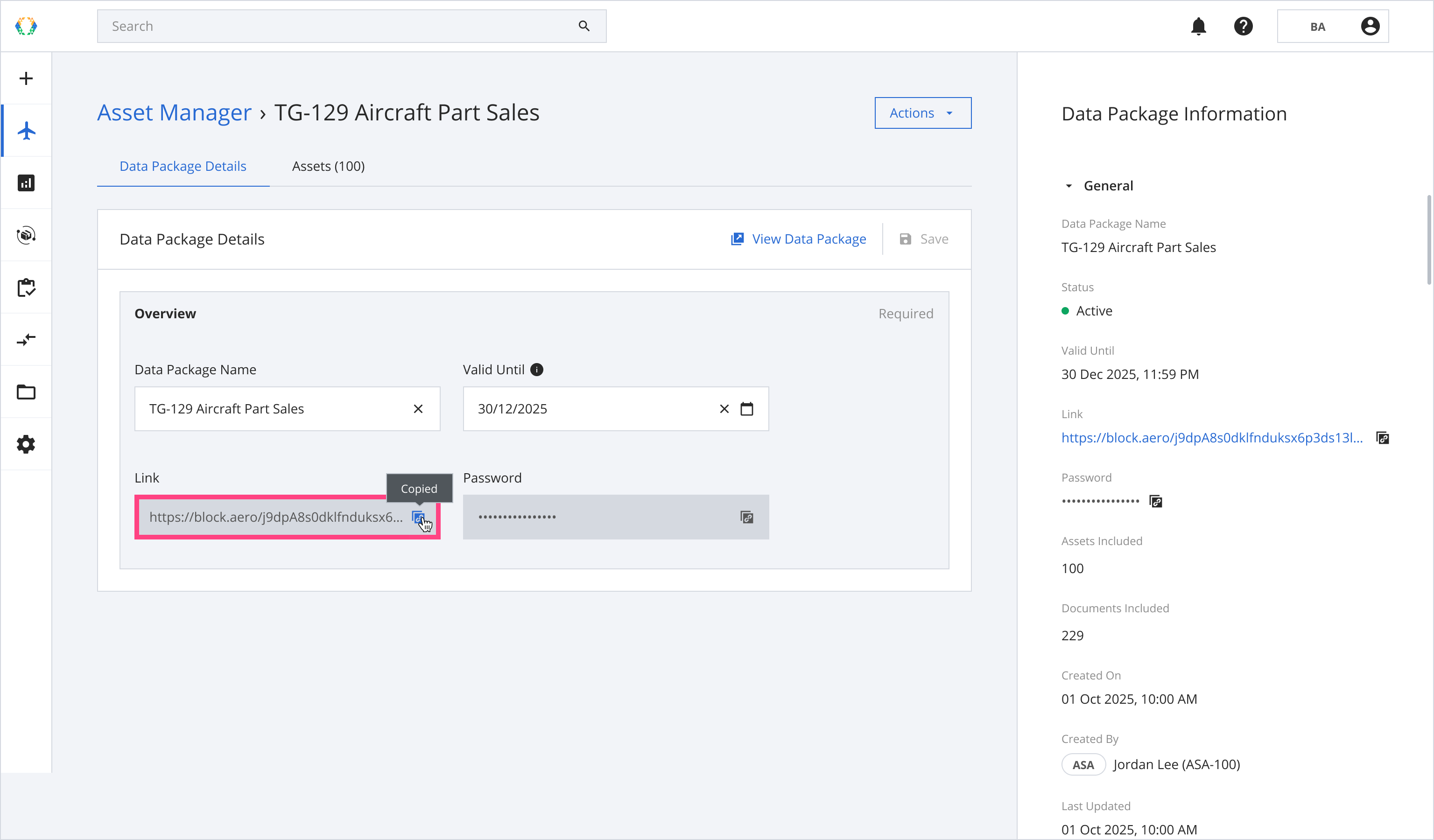
Once the information is copied, a label will change to 'Copied'.
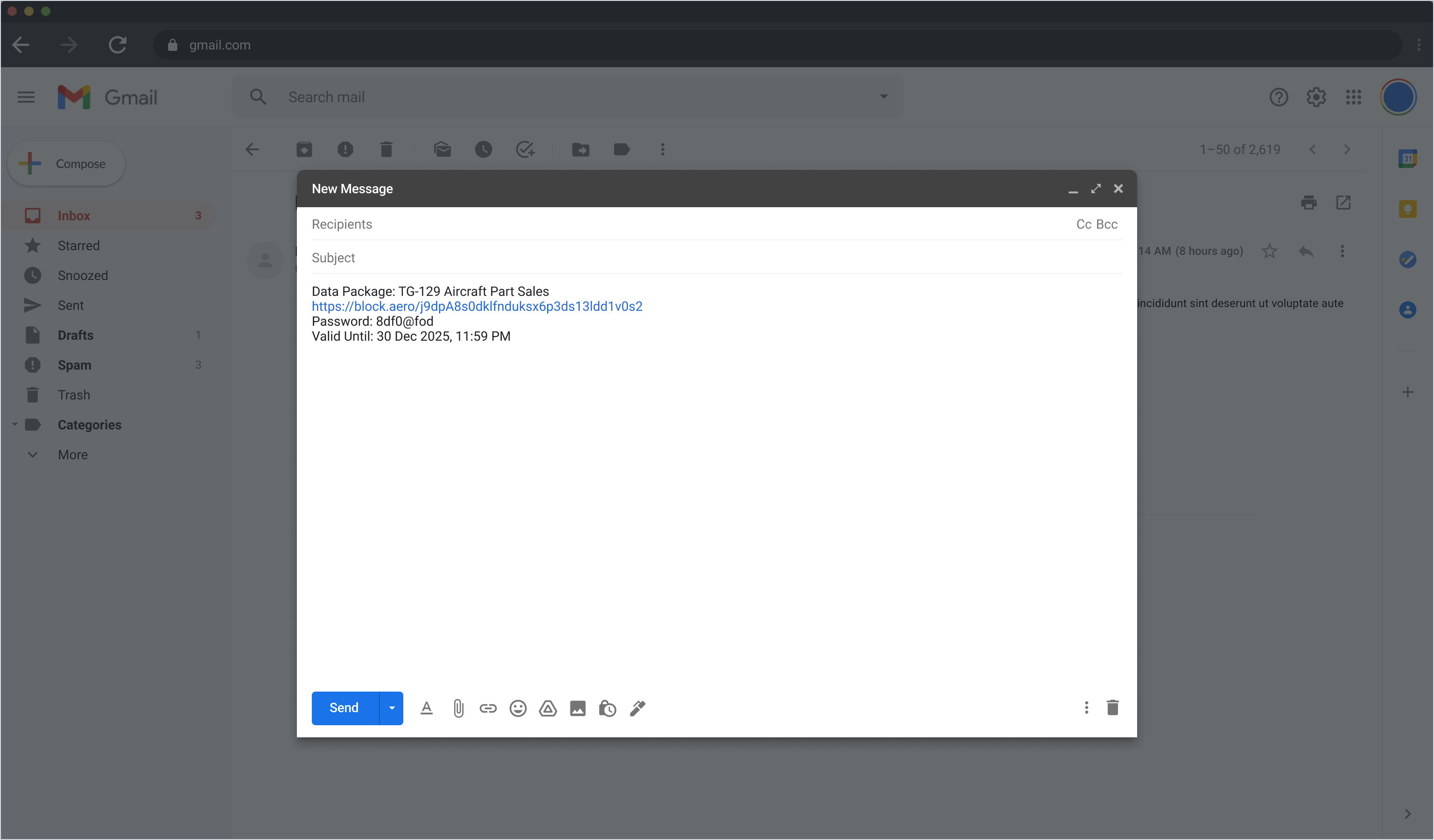
Step 3: Share a link and password with your receiver.
Alternatively, you may copy only a link or password.
Copy Only Link or Password
Step 1: From the data package list, open a data package you want to share.
Step 2: Click ‘Copy’.
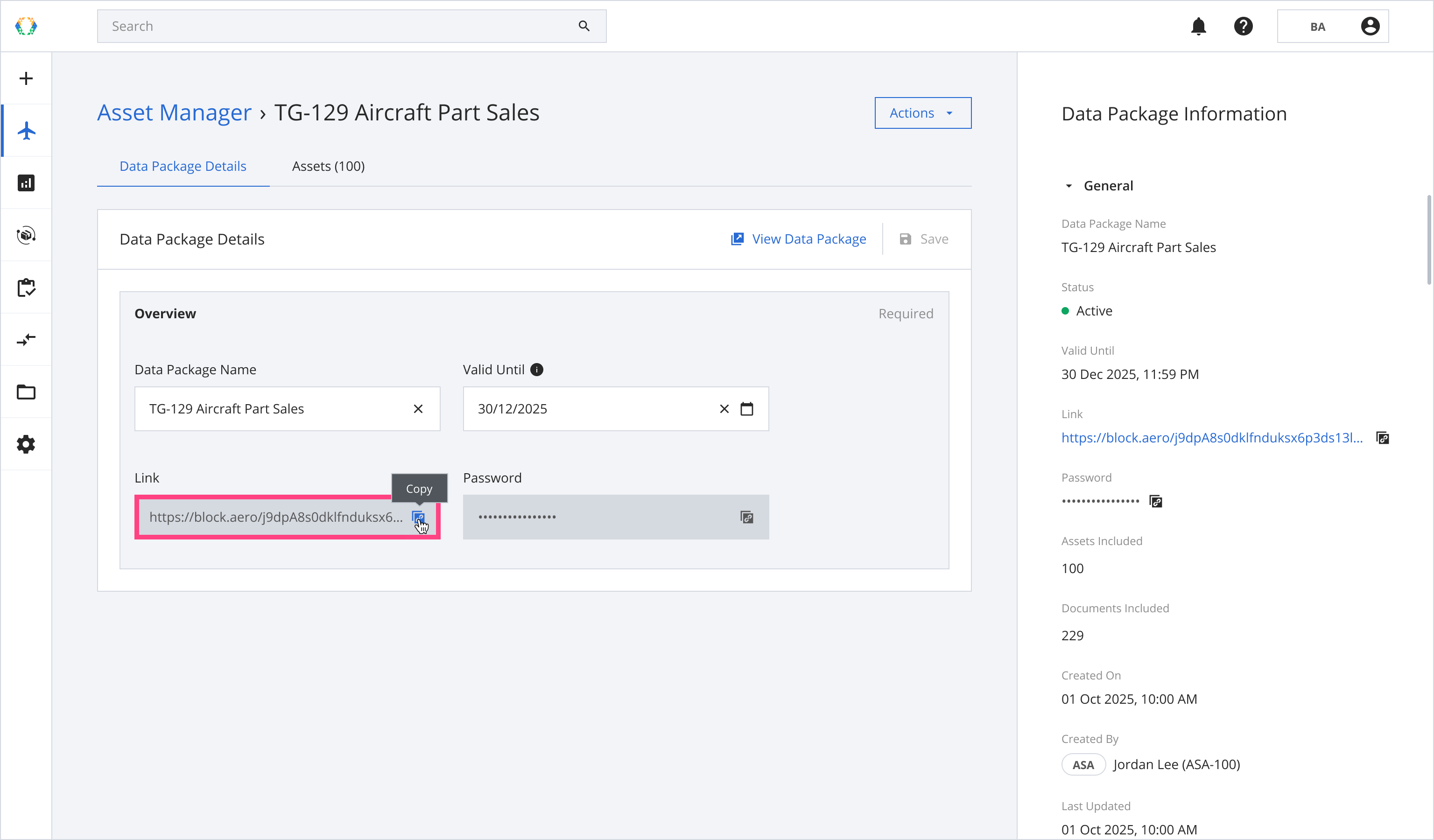
Once the information is copied, a label will change to 'Copied'
Updated 8 months ago
Did this page help you?