

Remove Asset from Data Package
Expired packages cannot be modified.
You can remove assets from active Data Packages. When an asset is removed, all associated asset data and uploaded documents within that package are permanently erased and cannot be recovered. This action does not change the package name, validity period, password, or link.
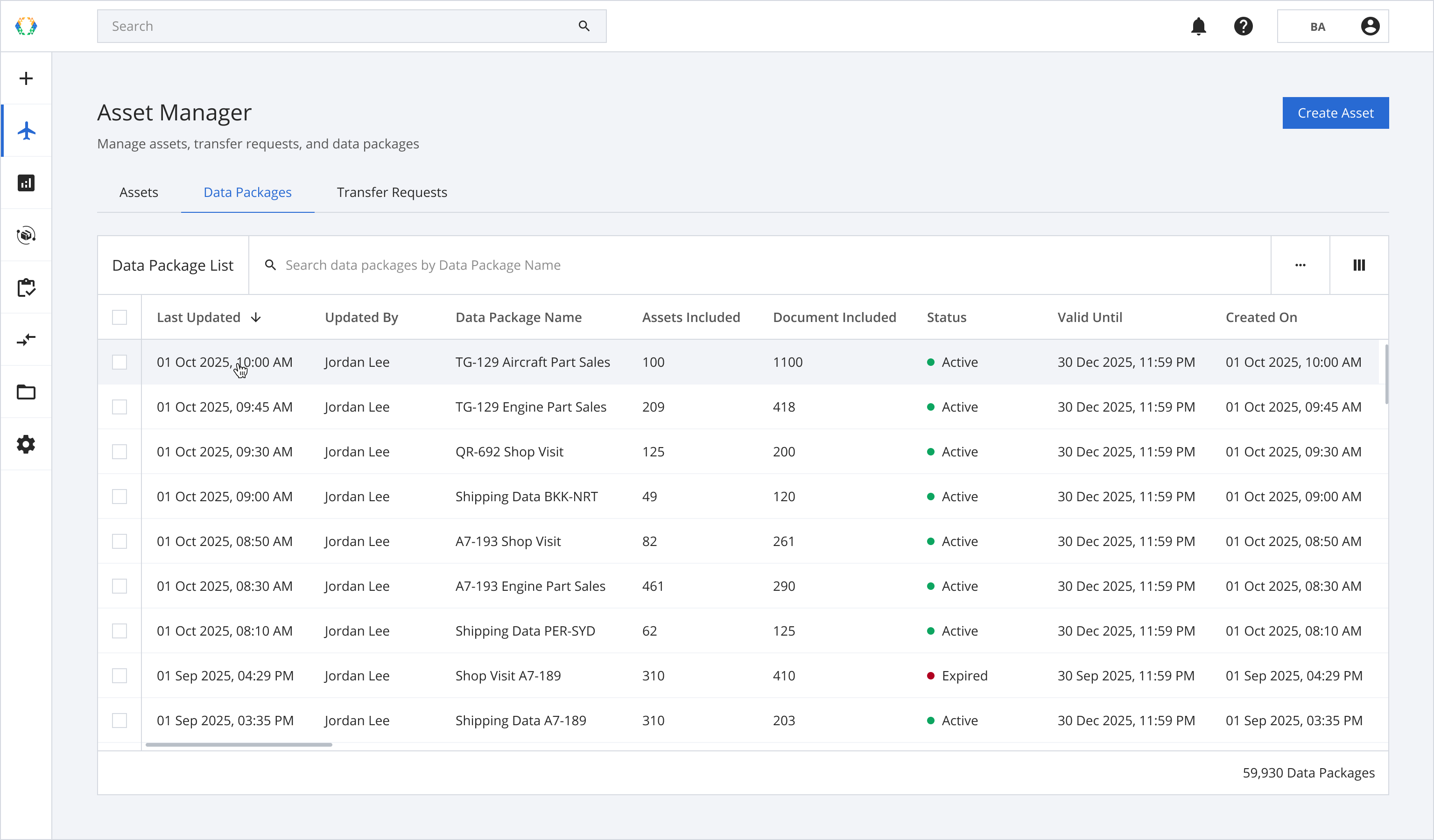
Step 1: From the data package list, open a data package you want to reset a password.
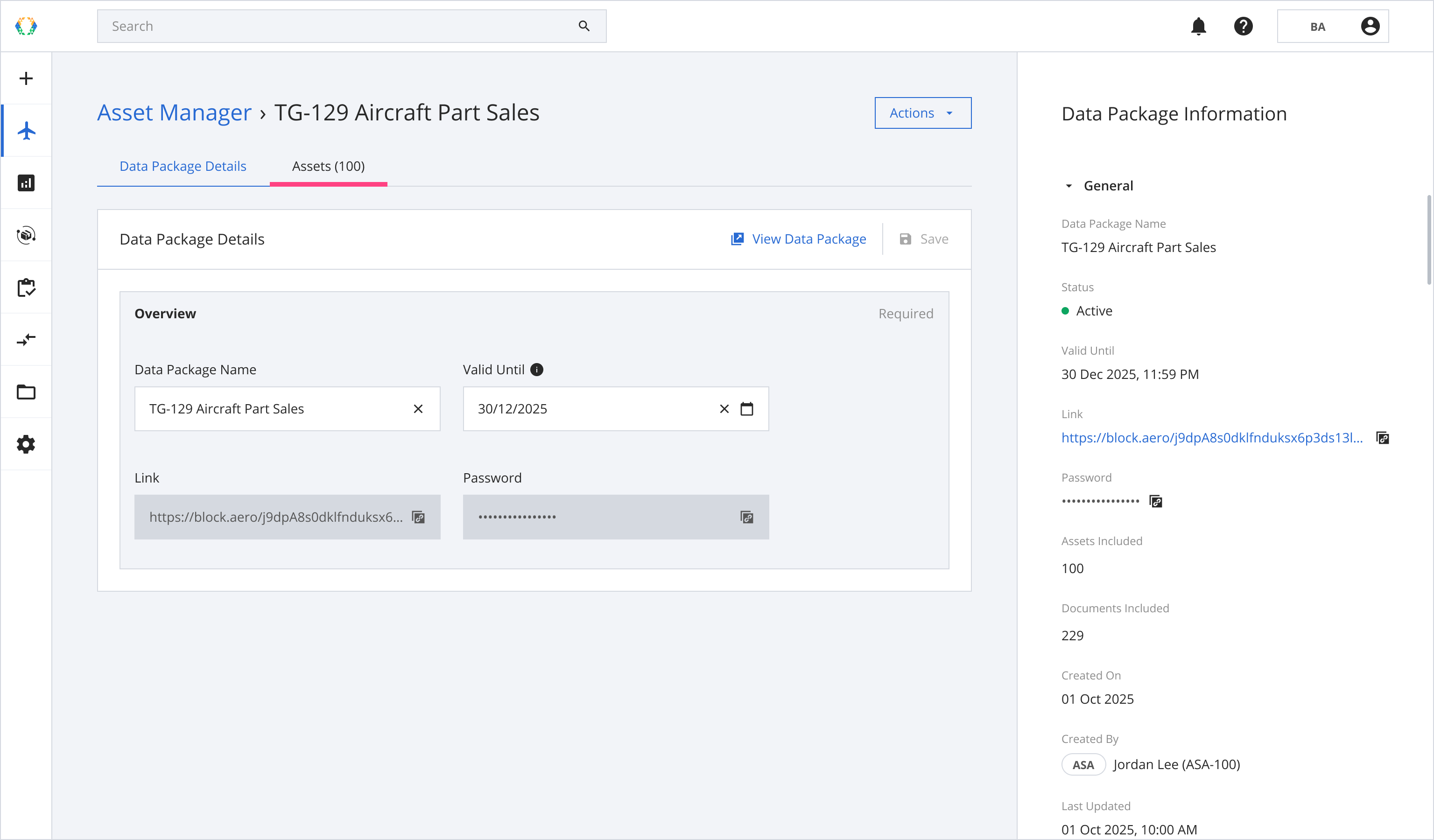
Step 2: Once you land on the data package details page, click 'Order Details' tab.
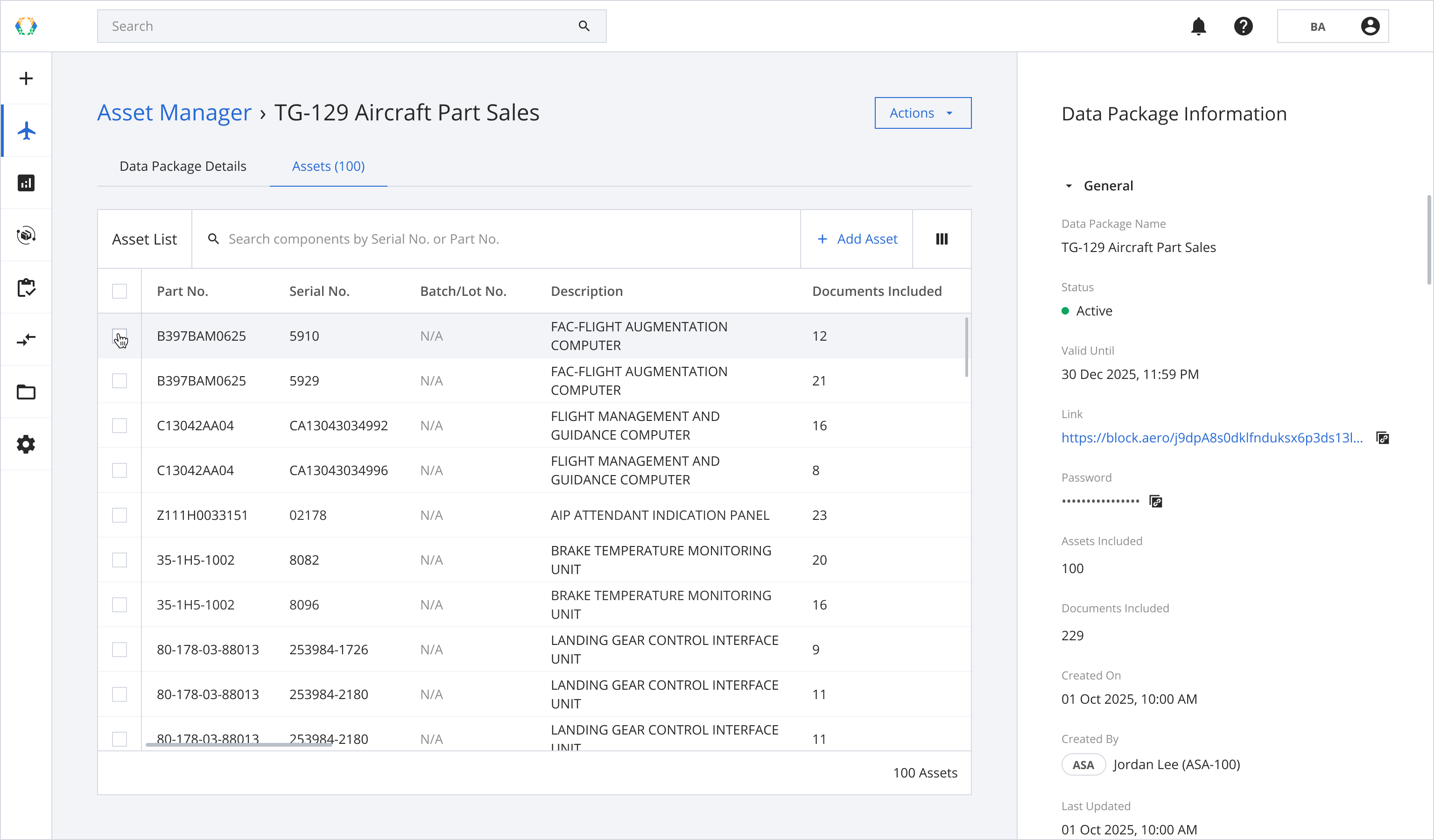
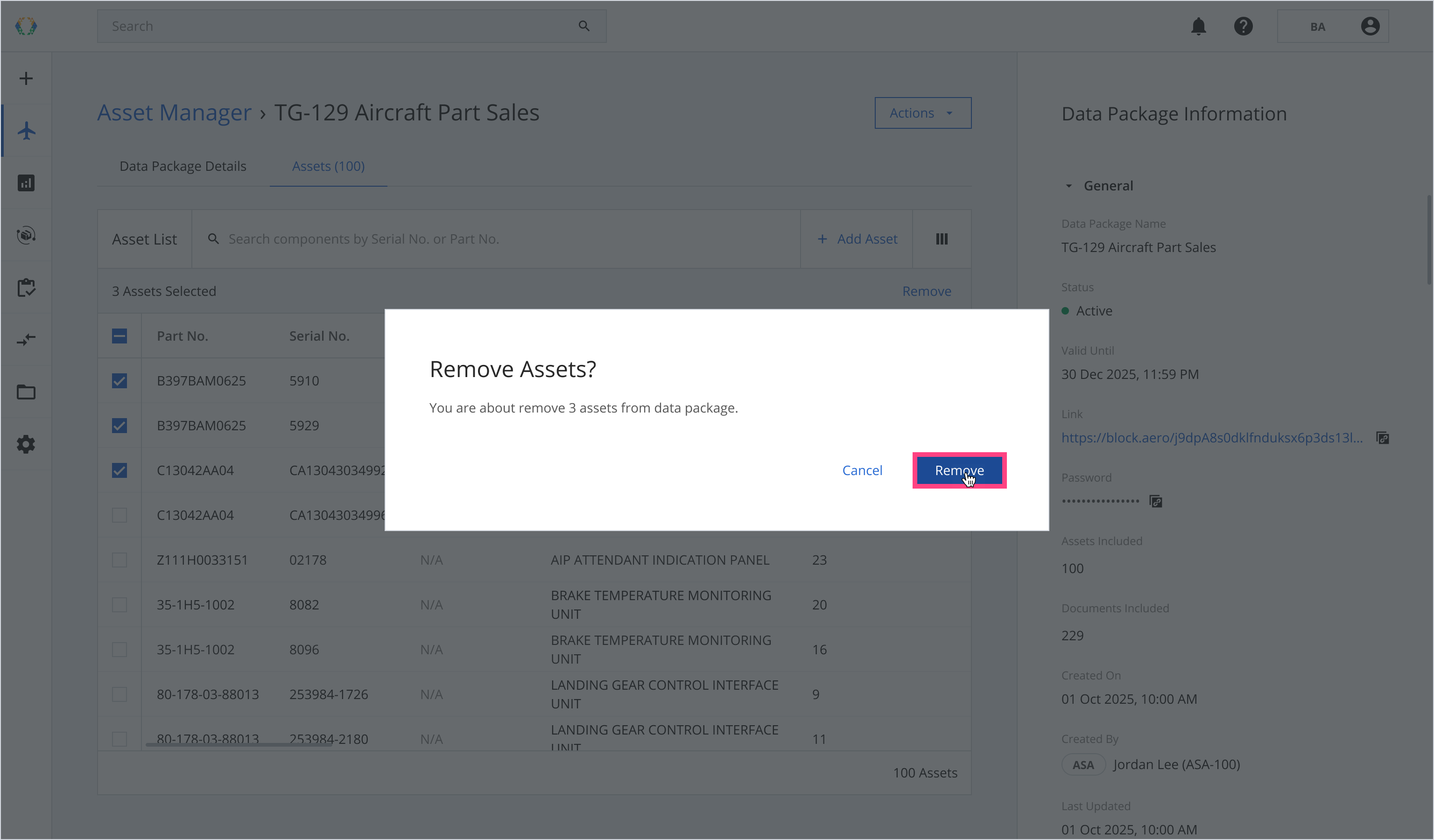
Step 3: Select assets you want to remove from the data package.
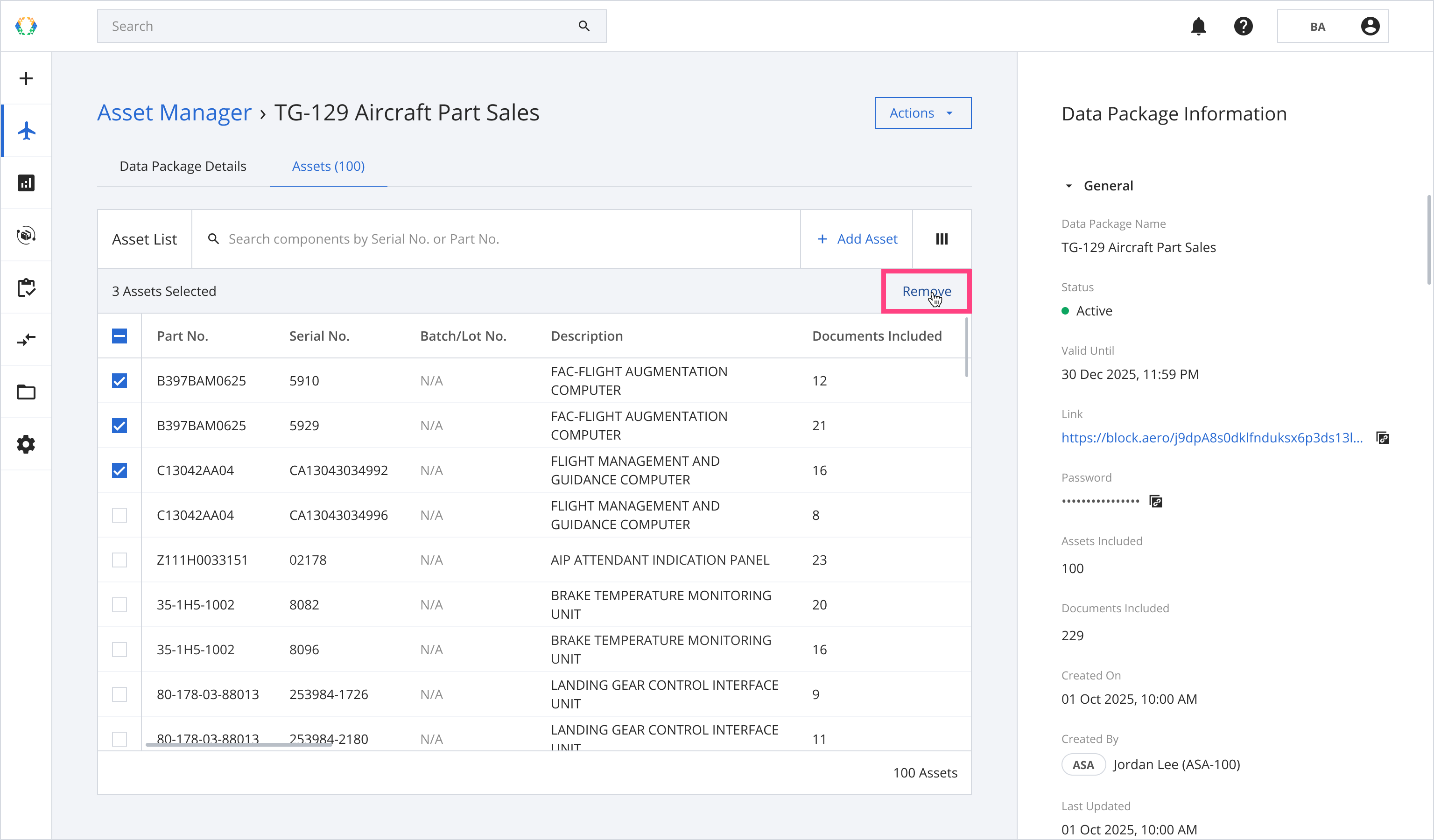
Step 4: Click 'Remove'.
Step 5: A confirmation message will appear. Click ‘Remove’.
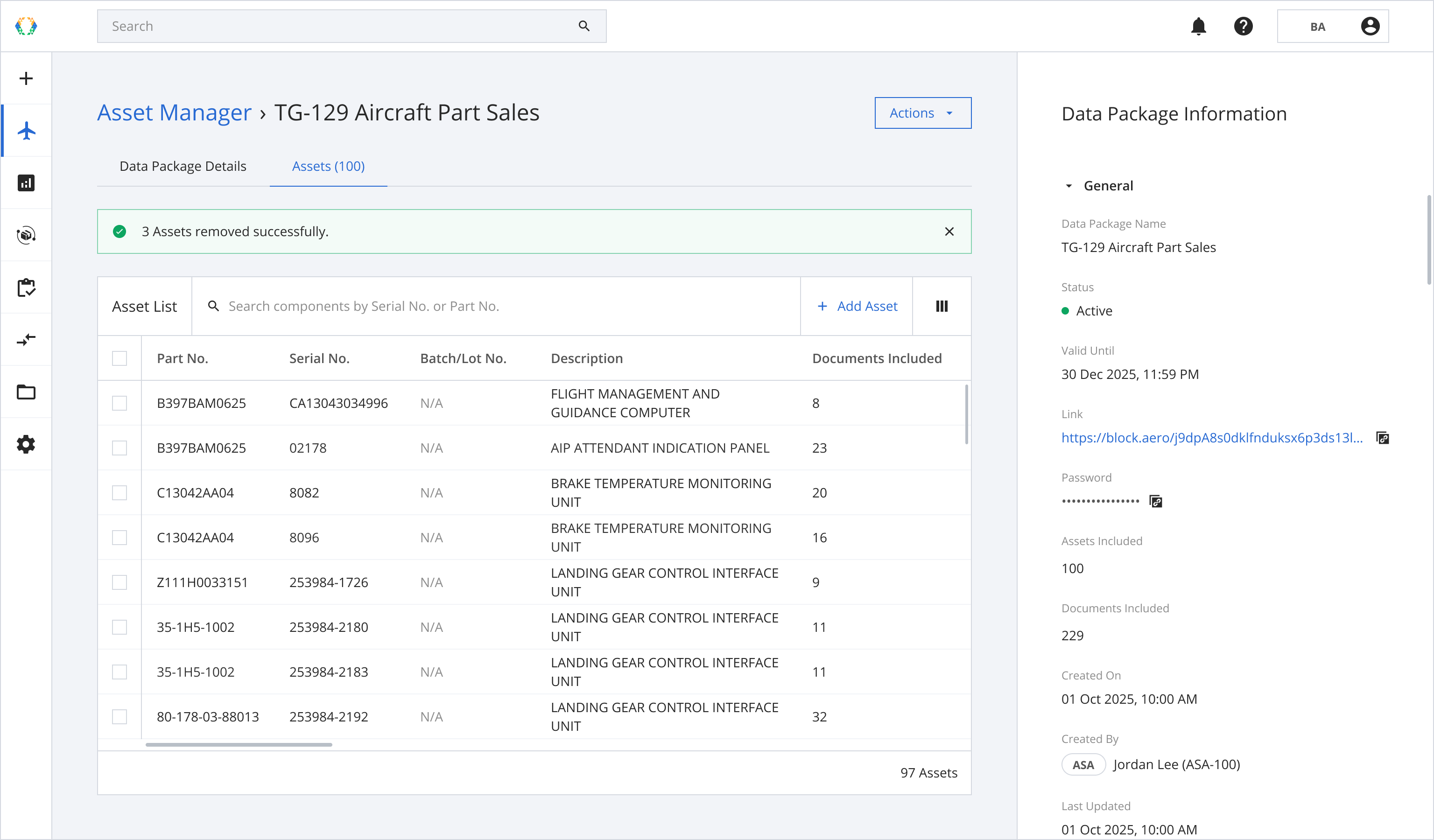
Once assets are removed successfully, a green banner will appear at the top of your asset list
Updated 8 months ago
Did this page help you?