

Revoke API Key
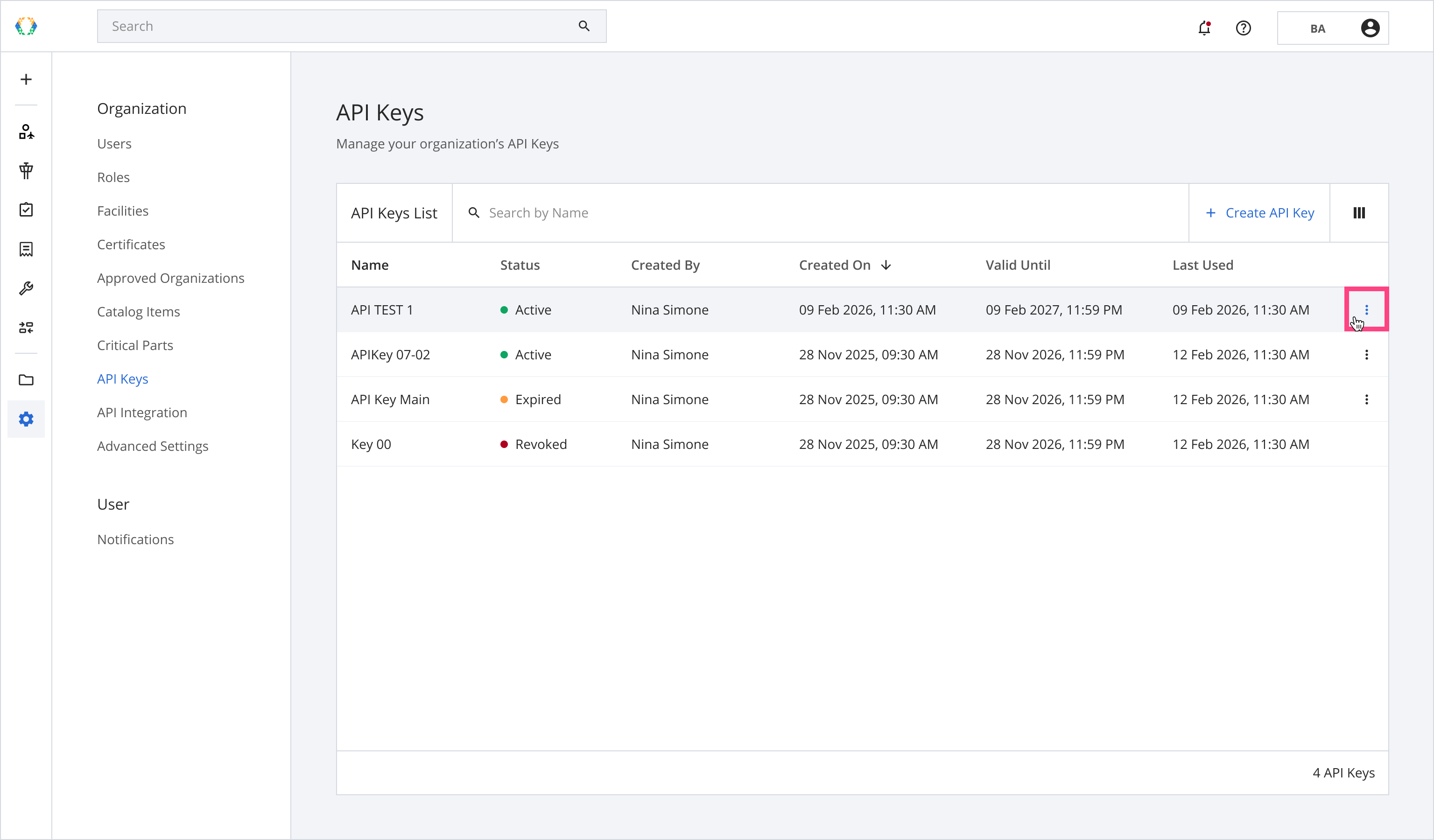
Step 1: From the API Keys list, click ⁝ button to revoke the API Key.
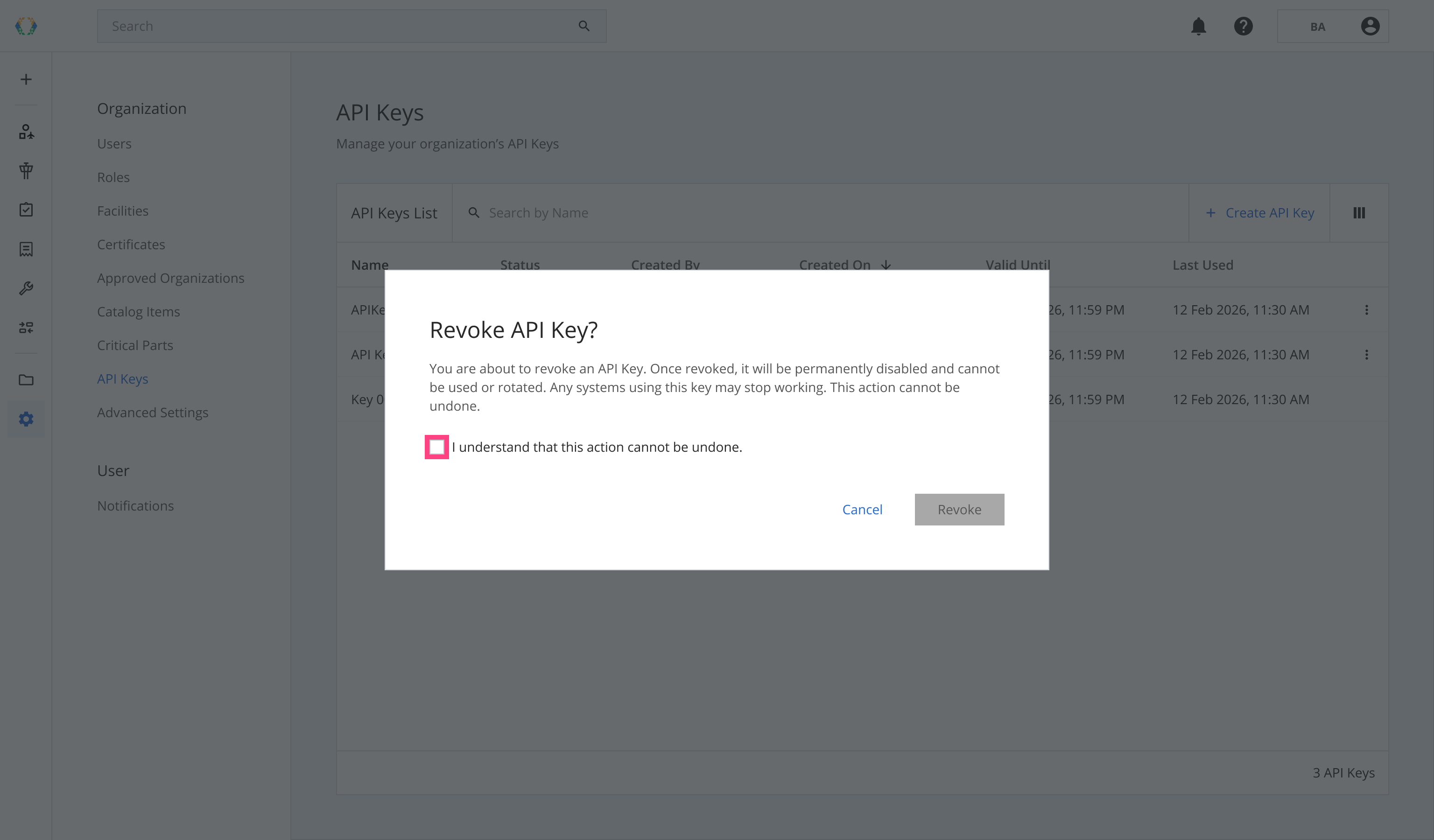
Step 2: Select the checkbox 'I understand that this action cannot be undone'.
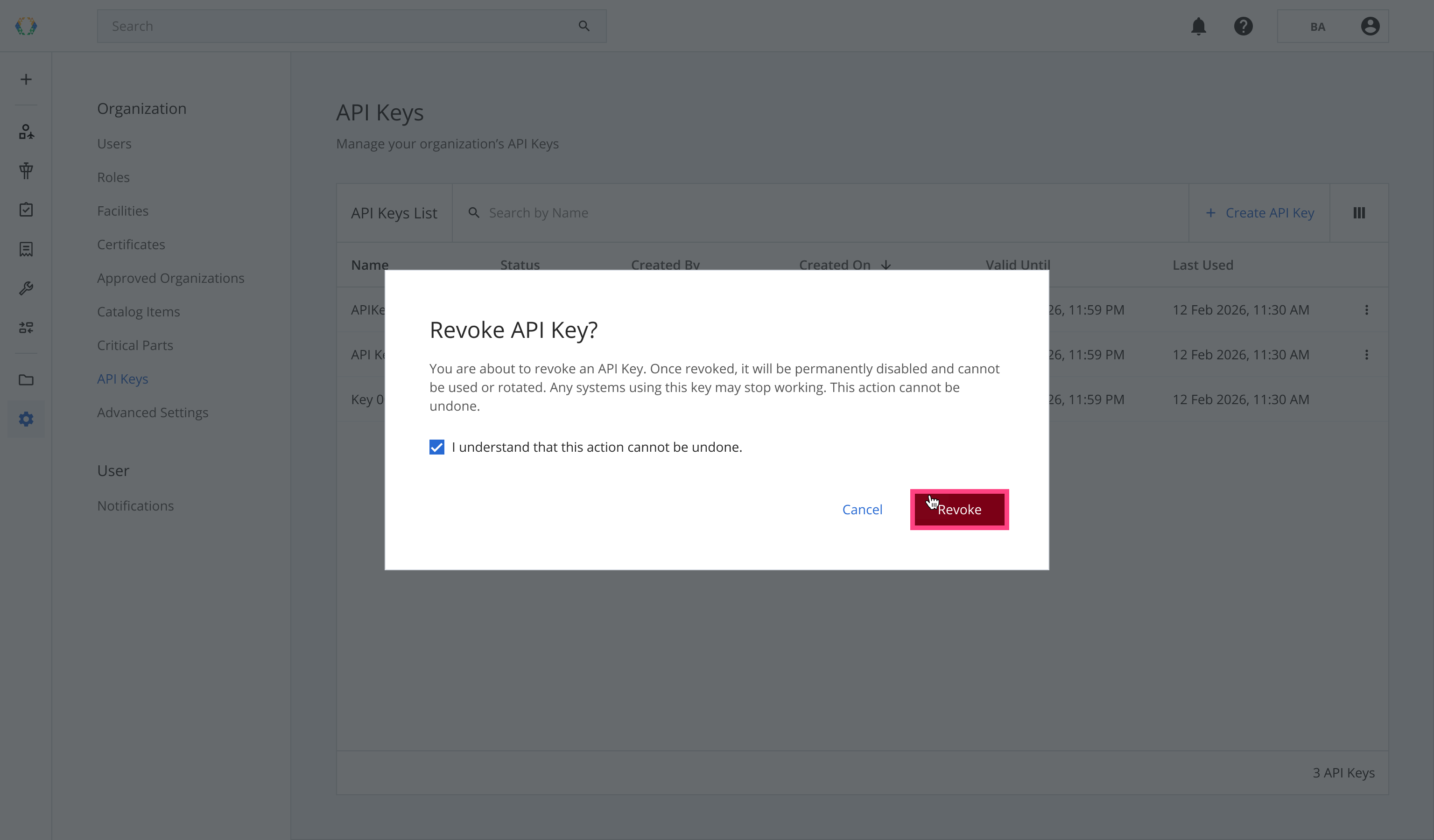
Step 3: Click 'Revoke'.
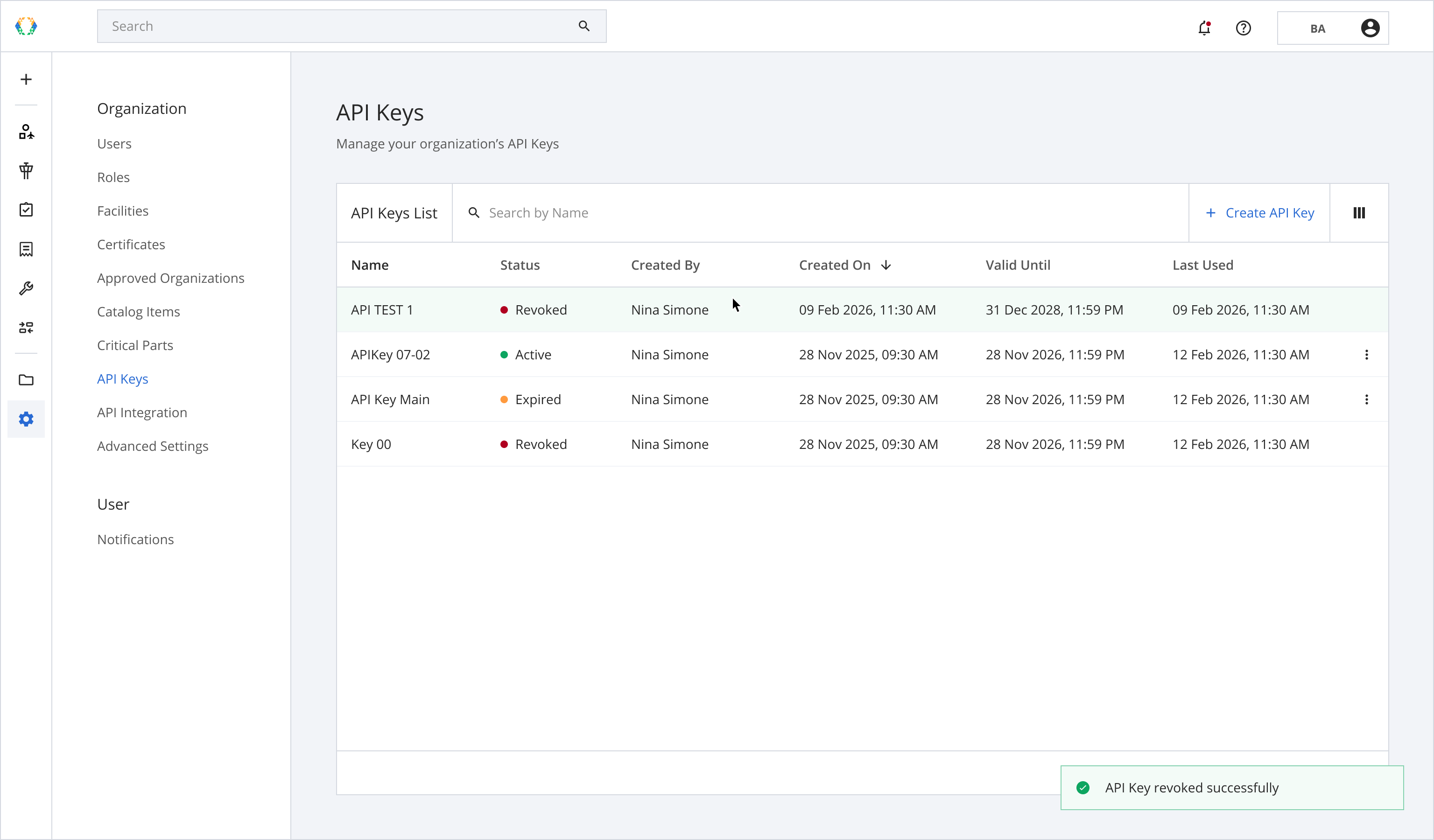
Once the API Key is revoked, a green message will appear at the bottom right corner of the API Keys list.
Updated 6 months ago
Did this page help you?